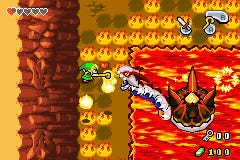
How to play GBA Ambassador games in native resolution

Press Start or Select.
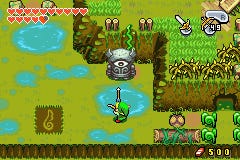
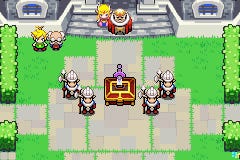
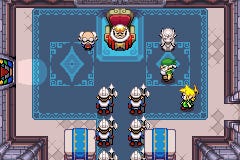
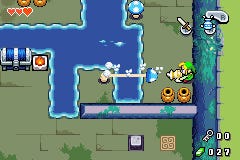
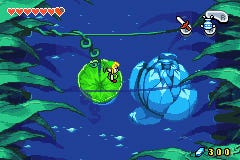
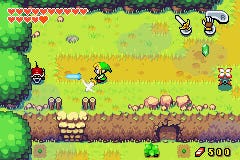
How do you play your new selection of Game Boy Advance games from the 3DS Ambassador promotion in their original native resolution?

Booting the games up normally will stretch them slightly to better fit the 3DS handheld's top screen.

But pressing the Start or Select buttons when loading the software will display the titles in their native resolution.

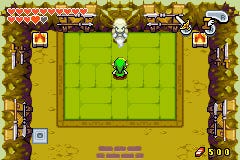
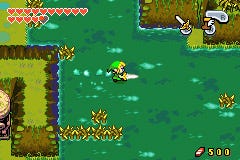
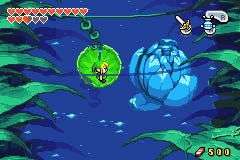
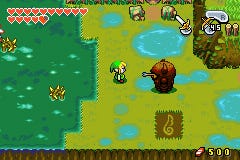
It makes the games display in a much smaller window, but the graphics are sharper.

Game Boy and Game Boy Color games also get a nice retro-themed border.

Playing them in the standard upscaled mode causes graphics to become slightly pixelated, with an added blur effect sometimes noticeable to smooth this.

Nintendo's impressive offering of ten top GBA titles went live today for 3DS Ambassadors.
Comments (23) Latest comment 5 months ago

Comments for this article are now closed, but please feel free to continue chatting on the forum!

  • wizlon #1 5 months ago

    Tip #2: You can queue up multiple 3DS downloads by selecting "Sleep Mode Download" after confirming the blocks required, very useful for downloading your GBA games.
  • Der_tolle_Emil #2 5 months ago

    The scaling has gotten better with one of the recent updates but I still prefer the original aspect ratio. Sadly it does not work with NES games.

    By the way, it's either Start or Select, no need to press both. This works with regular DS games and DSiWare titles as well.
    Edited by Der_tolle_Emil at 16/12/11 @ 17:55
  • Canyarion #3 5 months ago

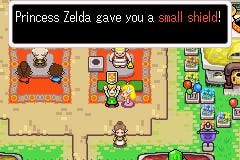
    "Princess Zelda gave you a small shield!"

    A SMALL shield? What have I ever done wrong to her!?
  • javvyman #4 5 months ago

    @wizlon Great tip, was just about to download each title individually!
  • cloudskipa #5 5 months ago

    I actually think the GBA games look quite nice full screen, Nintendo have dimmed the contrast to help the pixelation too and it works. F-Zero in particular looks lovely on the big screen!

    As much as I like native resolution I don't like playing in a window the size of a postage stamp.
  • Cowbomb #6 5 months ago

    @Der_tolle_Emil

    NES games are already running in their native resolution.
  • WadiumArcadium #7 5 months ago

    Loving these, an hour or so disappeared earlier playing Yoshi's Island.
  • Beano #8 5 months ago

    Is it just me or does the colours look weak or washed out when running the games scaled?

    I'm not talking about the slight bluriness, but the colours look a bit off.
  • Cowbomb #9 5 months ago

    @Beano

    Quite a few GBA games have the brightness jacked up to combat the dark screen of the original GBA model. This results in them looking a bit washed out when they're properly backlit.

    Try pressing the Home button whilst you're playing, then holding the start button and using the D-Pad to lower the brightness. Should help! =)
  • emailtj #10 5 months ago

    @Beano I noticed that too. They look pretty good with the brightness all the way up, but very washed out on any setting less than that.
  • Der_tolle_Emil #11 5 months ago

    @Cowbomb They are very close but not quite. The image is slightly stretched to match the original aspect ratio. Pixels look like they are wider than high. It's easily noticeable in the items screen on Legend of Zelda when you look at the white border of the triforce. It's blurry and in some places even darker because the 3ds darkens the additional pixels inserted to match the aspect ratio.
  • Paulie_P #12 5 months ago

    Does anybody else think the Start and Select buttons on the 3DS are crap? I hate using them to try to save in links awakening, its so hard to push them both at the same time!
  • Der_tolle_Emil #13 5 months ago

    I only really mind the blurriness in text heavy games. Any other game looks fine, especially in motion but in games like Pokemeon it's quite weird to not notice the blurriness but when text kicks in you think that your eyes have gone bad.
  • AmpH #14 5 months ago

    It's so small in native resolution I cannot think of why you'd want that. It's not so bad full screen.
  • Beano #15 5 months ago

    @Cowbomb Thanks for the tip. I will try that :)
  • SG #16 5 months ago

    A bit like older GB games on the GBA - I always use the shoulder buttons to unstretch the GB(C) game and it sits nicely in the middle of the screen with black borders either side. Nice and sharp.
  • munki83 #17 5 months ago

    I demand a comparison df get to it :p
  • ShiftBreaker #18 5 months ago

    Well, seeing as this entire post is a tip (that's in the manual for every single GB game released, I might add), may as well add some more. For GB/GBC games, the Y button acts as the select button, making saving on Link's Awakening a bit easier. Also, for GBA games, X also acts at the B Button.

    Y'know, if you're into that.
  • smelly #19 5 months ago

    "The occasional blur effect" - lol.. You mean "bi-linear filtering? As in the thing you (EG) were getting all excited about the vita having?
  • Harmonica #20 5 months ago

    As far as filters go in an impossible situation theirs is pretty well done. Having messed around with these things in the past for exhibitions and stuff, it's a bit of a minefield. If you're a purist they will almost always look crap and you think you're losing the charm of the originals, but 99% of people won't notice so you end up settling on a best imperfect solution.
    Edited by Harmonica at 17/12/11 @ 03:27
  • Paulie_P #21 5 months ago

    @ShiftBreaker Thanks, must give that a try. I still think the start/select and home all in one button is a really poor design choice by Nintendo.
  • KanePaws #22 5 months ago

    Finally, the ability to play GBA games on a portable system!
  • georaldc #23 5 months ago

    Was comparing gba playback on the 3ds to the ds lite's gba backwards compatibility and the ds lite wins a bit for have less motion blur on the screen. I thought the 3ds had better screens compared to the old ds lite's in terms of motion blur?