Preparing your PC for Battlefield 3
Give it a Digital Foundry tune-up.

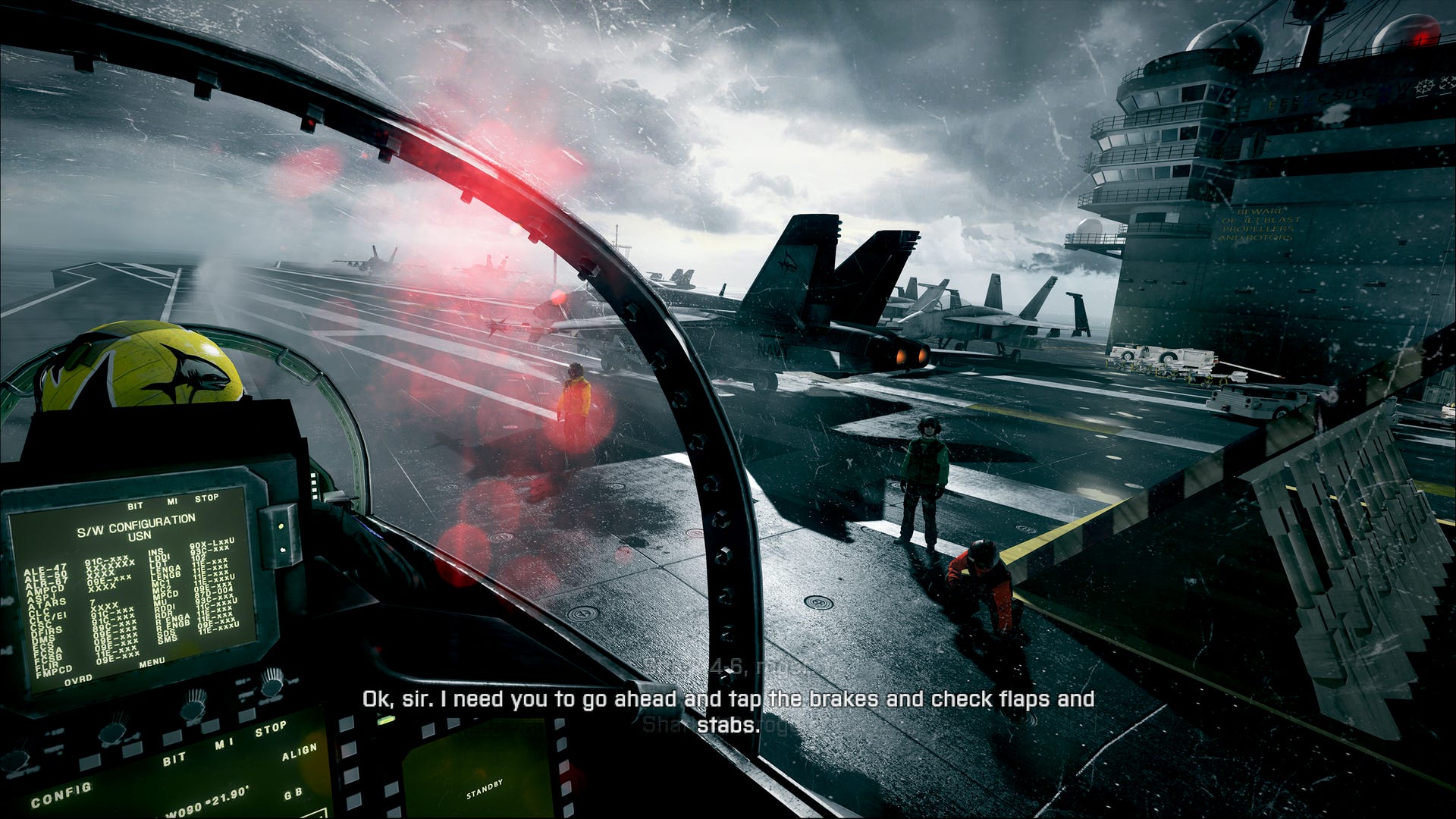
In an age where triple-A game development leads on console, there's a strong argument that cutting-edge PC development is a thing of the past, a relic of a bygone era. But next week, PC gaming enthusiasts can afford themselves a little old-school rejoicing, because DICE's Battlefield 3 changes that: it's a top-of-the-line experience that leverages the power of PC architecture and offers up a game that is technologically way in advance of its console siblings.
So is now the time for the enthusiast gamer to consider a PC upgrade? There are some compelling arguments. For a start, we're approaching a time of transition in the games market. Realistically we are now just two years away from the release of next-gen hardware from Microsoft and perhaps Sony. Developers are embracing the new technological possibilities offered by DirectX 11 on PC because it's a stepping stone to the next wave of consoles. In that respect, a PC upgrade offers a taste of tomorrow's games today - with the added bonus that, in most cases, you get a console-beating experience by default on virtually every multi-platform game released today.
In this article we'll be taking a look at Battlefield 3 and what's required from a hardware perspective to handle the game at its higher quality levels. We're assuming that a top-end BF3 experience in the here and now will be more than enough to handle games over the next couple of years until the next-gen consoles come along. We'll be offering up tips on how to upgrade your system, and making suggestions on brand new PC gaming hardware if your current rig is a lost cause.
First up, let's take a look at the official minimum and recommended specs:
Minimum system requirements
- OS: Windows Vista or Windows 7
- Processor: Core 2 Duo 2.4GHz or Athlon X2 2.7GHz
- RAM: 2GB
- Graphic card: DirectX 10 or 11 compatible Nvidia or AMD ATI card, ATI Radeon 3870 or higher, Nvidia GeForce 8800GT or higher
- Graphics card memory: 512MB
- Sound card: DirectX compatible sound card
- Hard drive: 15GB for disc version or 10GB for digital version
Recommended system requirements
- OS: Windows 7 64-bit
- Processor: Quad core Intel or AMD CPU
- RAM: 4GB
- Graphics card: DirectX 11 Nvidia or AMD ATI card, Nvidia GeForce GTX 560 or ATI Radeon 6950
- Graphics card memory: 1GB
- Sound card: DirectX compatible sound card
- Hard drive: 15GB for disc version or 10GB for digital version
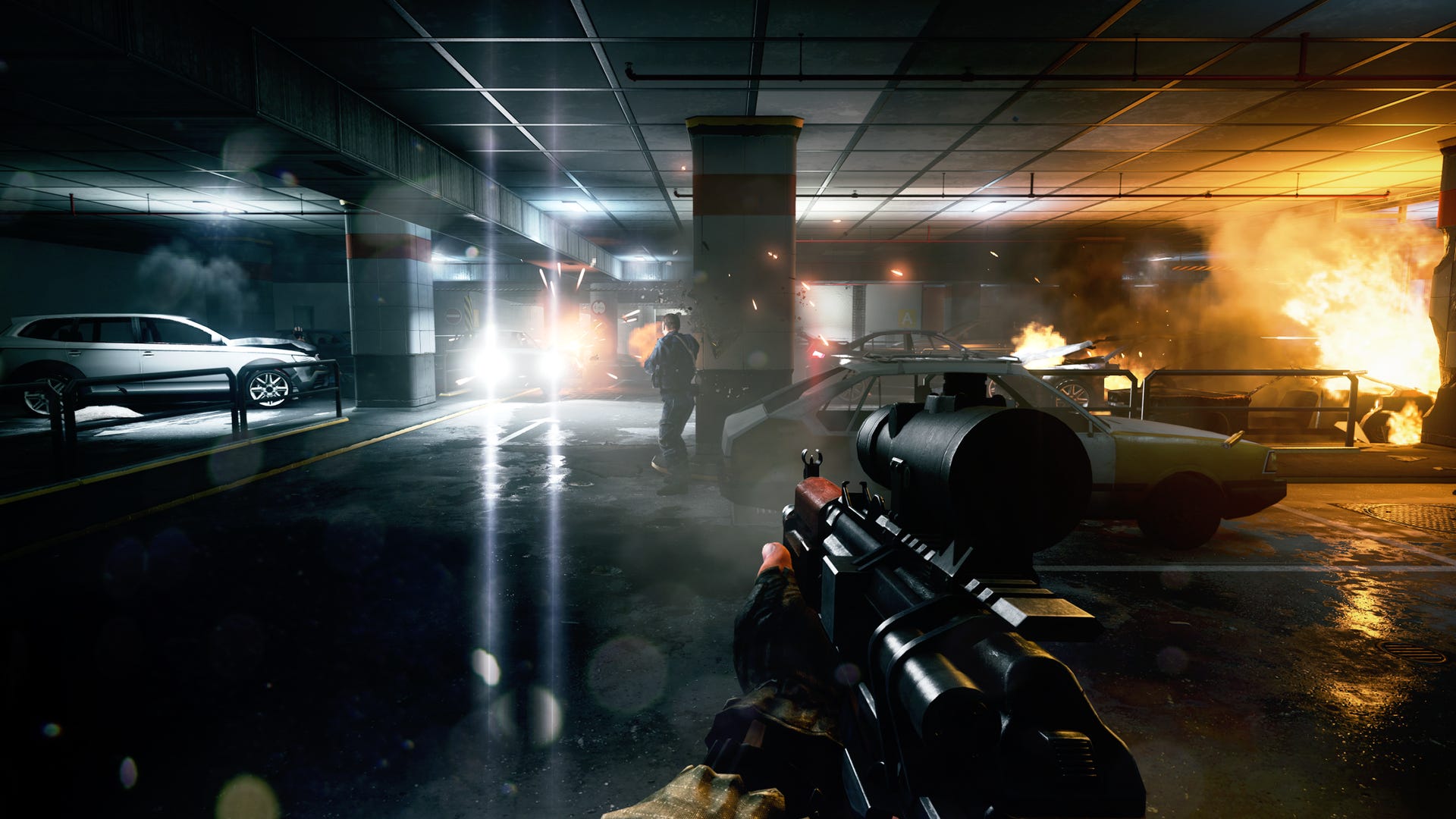
It's safe to assume that you're going to require something in excess of the minimum recommended spec in order to get the PC version of Battlefield 3 running with the level of graphical 'bling' we see here.
We kicked off by taking a look at the recent Battlefield 3 multiplayer beta on something close to the minimum spec - this is the sort of PC you could probably buy from eBay second-hand for around £200 to £250. We ran a Pentium E2140 overclocked to 2.66GHz and married it up with an NVIDIA 250GTS - this is basically the same as the 9800GTX. On top of that, we ran with 3GB of RAM - a spare gig over the minimal level.
The results were best described as sub-optimal. Whether we ran the game at 1680x1050 or 1280x720, frame-rate varied between 20-30FPS even on lower settings, and it's clear that the game was really struggling, visibly stuttering in terms of both audio and video.
So if you already own a PC like this, where do you go from here in getting a superior Battlefield 3 experience? First up, it's important to know exactly what components you have in your system. CPUID's CPU-Z is the tool of choice for identifying system components. From there, it's a case of figuring what can be upgraded - if anything - and how you can do it.
Step 1: The CPU
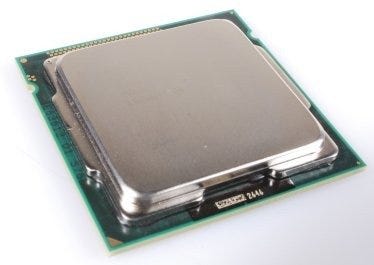
The brains of your system. While the graphics card is most directly tied into game performance, CPU power is increasingly becoming much more important. The future is "many core" and most games these days are optimised for quad-core systems. Battlefield 3 is a case in point: tests reveal that an Intel Core i3 530 CPU running the game in "ultra" mode at a tiny 640x480 resolution offers just 25-26 per cent of the performance of the exact same setup using a Core i5 quad core CPU.
In assessing a CPU upgrade to an existing system, there are two routes going forward:
If your PC was prebuilt by an OEM like Dell or HP: Go to the support website, find the quad core (or even hex core) CPUs supported by your platform, then use Google to double-check on enthusiast forums - sometimes more powerful CPUs are compatible, but are not officially recognised. Figure out which CPU offers the best price vs. performance and go for it.
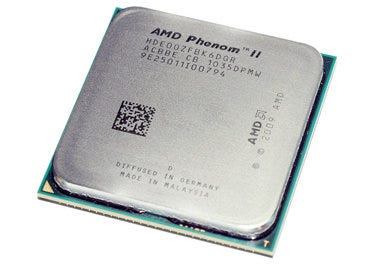
Two CPUs that will run Battlefield 3 admirably well. On the left we have hex core AMD Phenom II X6 1100T, while on the right we have Intel's 2600K quad core chip.
If your PC was custom-built: Use CPU-Z to determine the motherboard you have in your system, go to the support website of the vendor and see which chips are supported and make your choice from there. In all cases, you should update the BIOS of your motherboard to the latest in order to make sure that the most recent CPUs are supported. Failure to do this could result in the system failing to boot once you've swapped the chip over.
Recommendations: A system with an Intel Core 2 Duo should easily be able to run a Core 2 Quad. After a BIOS update, it's a simple drop-in replacement and provides up to a 200 per cent improvement in frame-rates. However, not all quads are equal: swapping an AMD Phenom X2 to an bargain basement Athlon X4 quad core only gave something in the region of a 33 per cent boost but the improvement is substantial by scaling up to a Phenom II X4. The newest Intel "Sandy Bridge" chips provide the best performance for Battlefield 3, but the AMD Phenom II X6 hex core CPUs are very worthy runners-up and are highly cost efficient, and the Phenom II quads appear to offer marginally superior performance to the older Intel Core 2 Quads.
You may also like...
-
Gravity Rush Review 48
-
Sony patents method to interrupt your gaming with an ad 105
-
Wii U Aliens: Colonial Marines is best-looking version because of console's "more modern tech" 72
-
Kingdoms of Amalur: Reckoning needed to sell 3 million to break even 63
-
Activision vs. Vince Zampella and Jason West: Inside the game industry trial of the decade 69
-
Skyrim gets mounted combat in new update 52
-
Arma 3 in-engine footage shows off lighting tech 18
-
App of the Day: Go Robo! 2
-
Dirt Showdown Review 89
-
Minecraft overtakes Black Ops on XBL activity chart 25
-
Ghost Recon: Future Soldier Review 132
-
Minecraft total sales hit 9.2 million 8
-
FIFA has a new world champion 8
-
How the Darksiders 2 delay benefits you 9
-
Tony Hawk's Pro Skater HD soundtrack listing revealed 18
Comments (107) Latest comment 7 months ago
Comments for this article are now closed, but please feel free to continue chatting on the forum!
Comment below viewing threshold Show
Bring em on!
Comment below viewing threshold Show
Intel core 2 duo (1.8 something), 8800 gts (I think), lots o ram. It ran like a dog. Didn't check the framerate or anything so not very scientific, but it was clearly a no go.
So it's a complete rebuild, motherboard up for me.
Comment below viewing threshold Show
i72600K (overclocked)
8gb system ram
gtx 580 Gainward 'good'
128mb SSD
Also going to order new ASUS rog 27 inch 1080 monitor.
Comment below viewing threshold Show
http://www.geeks3d.com/20090618/graphics...
Comment below viewing threshold Show
amd phenom II BE (three cores unlocked)
4ddr3 gig ram
GTX 460 SE OC
Windows7 64
I'd be happy with a 1360x768 at high settings, even 720p high would be totally fine.
Comment below viewing threshold Show
Exactly the same setup I have and I was getting around 50-60 fps on both maps in the beta at 1920x1200 with maxed out settings and high AA. Game looked very good I thought, shame then that I have no interest in actually playing it...
Comment below viewing threshold Show
I tend to upgrade my graphics card when I come across two or three games that I cannot max out the graphics setting at my preferred resolution of 1920x1200 with at least 8xAA. Fortunately, with the number of console-led multiformat games it means that my three year old Core i7-920 is still a beast for every game I play and I've only had to replace the graphics card once (technically it's twice but I consider the HD 5870 CFX setup I had for six months to have been a huge mistake as the drivers were pitiful IMO - I should have just stuck with NVIDIA).
Comment below viewing threshold Show
I concur, the cost and hassle for just one game albiet a phenomonal one is just way too prohibitive, pc gaming on a such a scale is still a world for the uber geek, the majority who will be playing BF (yes the majority) will not have a clue in the world the game is even playable on a "home computer."
Comment below viewing threshold Show
i7 2600
8gb DDR3@1600
2x560ti Twin Frozr in Sli
74gb Raptor with a Samsung F3
Antec 850w Signature
Asus 23" 3D Monitor
Comment below viewing threshold Show
im hoping it got more optimized in final release...
on my 3 years old PC,
Phenom II x2 550BE (unlock to 4 cores)
Radeon HD 4770 512MB (DX10.1 class)
the BETA give me 30-45fps in low -> (customized) high.
weird, almost no performance difference at all. (but the visual difference is there)
"Windows can get a bit shirty about memory with mixed specs, so make sure that the RAM you buy exactly matches what's already in there in terms of speed/latency"
isnt that actually BIOS problem?
and usually can be a workaround, by placing the SLOWEST RAM in the first slot, can be read as SLOT 0. (or number 1, depends on the label in mainboard).
Comment below viewing threshold Show
Lol why someone would neg ya.... No idea instead should have helped ya out. I upgraded from a GTX 275 to a 560Ti Twin Frozr and it storms through all my existing games. I managed to get hold of a 2nd cheap so I Sli'd up and was getting 50-80fps on high, we all know that the Ultra mode was locked out so I have a little room to play when trying Ultra. My first I got from Scan was for £180 so I would recommend this card.
Comment below viewing threshold Show
same CPU as you but my 4th core turned out to be unstable under stress. Did you do something to increase stability?
Comment below viewing threshold Show
Hey thx for the reply m8!
Have you played RAGE by any chance? if so how was the performance with your card?
Again thx for the reply bud
edit** what about buying another 465?
Comment below viewing threshold Show
The 465s were crap when released. Just jump straight to the 5xx series and sell the 465 to some mug on ebay
Comment below viewing threshold Show
Yup finsihed Rage and it blew it out of the water on max on a single 560ti and I never noticed a performance drop, got SLI off right now as it lag's Fifa 12 and any game I throw at it right now runs at max. Once Batman:AC, Skyrim and BF3 (ofc) are out SLi will be on.
Have a read of this about 465 and make your own mind up. [link url=http://www.guru3d.com/article/geforce-gtx-560-ti-sli-review/11
]http://www.guru3d.com/article/geforce-gt...[/link]
Kut...
Comment below viewing threshold Show
#1. Working drivers
Comment below viewing threshold Show
to stable in 4 cores i unplug one of my ODD.
previousply i use 5 HDD and 2 ODD.
4 cores = unstable
then i unplug one of the ODD, it become stable.
so in my case, i have perfectly healthy 4 cores but my PSU that seems not enough Wattage.
in your case, it can be like me PSU problem,
but also can be the 4th core is really broken in your CPU.
basically unlocking is lucky if got all cores healthy.
thanks, and sorry bad english
Comment below viewing threshold Show
Ran the BF3 beta flawlessly on high settings at 1680x1050, the game looked utterly superb. Great system too, very quiet.
Comment below viewing threshold Show
For single-vga strictly gaming configurations on 1080p, i7 is a waste of money.
An i5 or a Phenom II X4 965 is more than enough. Nowadays it's the GPU that bottlenecks your system, not your CPU. So any excess CPU overhead you get from i7 is pretty much wasted.
Benchmark examples on BF3 beta:
[link url=http://www.hitechlegion.com/reviews/gaming-software/13498
]http://www.hitechlegion.com/reviews/gami...[/link]
(site is down atm? I get a SQL error so I'll post a couple of pics from there that I have cached)
High settings:
[link url=http://www.hitechlegion.com/images/stories/bf3beta/intelhigh.jpg
]http://www.hitechlegion.com/images/stori...[/link]
[link url=http://www.hitechlegion.com/images/stories/bf3beta/amdhigh.jpg
]http://www.hitechlegion.com/images/stori...[/link]
Max Settings:
[link url=http://www.hitechlegion.com/images/stories/bf3beta/intelmax.jpg
]http://www.hitechlegion.com/images/stori...[/link]
[link url=http://www.hitechlegion.com/images/stories/bf3beta/amdmax.jpg
]http://www.hitechlegion.com/images/stori...[/link]
As you can see the difference on a high end card like GTX 580 is a couple FPS, which is negligible. Does that mean that a 965 is as powerful as an i7 2600k that costs 160+ more euros?
Nope, it means that this is as far the GTX 580 can go and thus it limits both CPUs to the same processing power, thus making i7's overhead over the 965, wasted. That's a GPU bottleneck right there.
To alleviate that you need 2 VGAs in SLi/Crossfire to increase the VGA output and make use of the CPUs excess processing power.
Bottom line: Unless you do professional work such as 3DSMax, Cinebench, high-end Photoshop, rendering etc. or you have at least 2 VGAs, an i7 is a total waste of money better spent elsewhere. An i5 2500k is ideal and a Phenom II 955/965 will do everything just fine.Give them an aftermarket cooler and an Overclock and you can get even more CPU power for your money
If someone told you otherwise or sold you an i7 as a single-vga 1080p gaming CPU then either he's clueless or ripped you off.
Still it's a beast of a CPU, so nothing to worry about!
Comment below viewing threshold Show
So glad to read DF's recommendations, since I'm running a ASUS P8P67, i5 2500K, 8Gb RAM, 96Gb SSD, 2Tb HDD, Twin Frozr II 560Ti setup. Took me ages to decide upon everything and get it on budget (£1000-ish for everything except the monitor) but that was part of the fun. Spent about four hours putting it together one night, then a couple of hours installing software the next night. Now that I've been introduced to Steam, the performance difference against my 360 is incredible. I'm currently replaying Batman: AA (a fiver off Steam!) before the PC release of AC and am totally amazed by how much better it looks than the 360. So I am mega-excited to get on BF3 and really put my system to the test!
@kutocer: I think I'll be joining you with the SLi as soon as my bank account recovers!
Comment below viewing threshold Show
"@kirankara - You're not just upgrading for one game though; all your games will benefit from the upgrade and give improved performance across the board allowing you to, say, crank up the settings to max, add more anti-aliasing and even run at higher resolutions even with multiformat games.
I tend to upgrade my graphics card when I come across two or three games that I cannot max out the graphics setting at my preferred resolution of 1920x1200 with at least 8xAA. Fortunately, with the number of console-led multiformat games it means that my three year old Core i7-920 is still a beast for every game I play and I've only had to replace the graphics card once (technically it's twice but I consider the HD 5870 CFX setup I had for six months to have been a huge mistake as the drivers were pitiful IMO - I should have just stuck with NVIDIA)."
I understand what you are saying, it's just the number of games that would add sufficient upgrades in quality, in terms of frame rate, resolution, etc etc, to the games I play on console, just arent high enough. Games like bf3 and crysis 2 when running dx11 look amazing, but most other games are nicer no doubt, but just not big enough difference to make me get excited about. The frame rate advantage would be nicer in most cases though tbh. After playing rage on 360 recently, I can finally appreciate those 60fps differences Ive always said I couldnt really notice.
I am happy to wait a little longer till consoles are upgraded, and i dont have to feck about with all the hassles of pc gaming . i see all the complaints in threads about pc gaming with drivers etc etc, and just think, i wouldnt have patience or know how to fix most these issues. i was close to buying gaming pc over summer, but just couldnt be bothered after I weighed everything up.
this game looks stunning though.
Comment below viewing threshold Show
Batman:AA With SLI on I play full wack everything on and it run's like a dream and looks stunning and in 3D
Comment below viewing threshold Show
Well that's what happens when people want to brag and jump on the "master race" platform without actually having done any research into what makes PCs tick and the requirements that would suit your applications best. I find the same sort of people always post their system specs in their message board signatures.
Comment below viewing threshold Show
I've tonnes of storage, but a new DX11 GPU and the best CPU for my current MBoard are probably in order here.
No rush however. I'll watch prices and jump in when I'm ready. It'll be an nVidia though, as I've had enough during the past 10 years spending hours pissing around with ATi drivers. They're they're like Sony where software's concerned. Hit and miss.
Comment below viewing threshold Show
Memory: Corsair XMS3 16GB (4x4GB) DDR3 PC3-12800C9 1600MHz Dual Channel Kit
Case: Antec 902 v3
Gfx: Asus ATI Radeon HD 6950 OC 2048MB GDDR5 PCI-Express
Processor: Intel Core i7 2600k 3.4GHz (Sandybridge)
Power: OCZ ZX Series 850W '80 Plus Gold' Modular Power Supply
Runs everything on Ultra no problem. It will eat Skyrim, BF3, MW3 and the rest for breakfast!
Just saving up for 3 monitors for eyefinity. The base unit cost me £1200 with a view to spending another £500 on monitors. Already had keyboard and mouse.
A PC can be used to make money from places like ebay, facebook etc. Convince yourself that its worth spending silly money on a PC because of the time you will spend on it and the money it will make you!
Thats what I did lol!
Comment below viewing threshold Show
So all this talk of using GTX580 in SLI i find rather odd as thats a huge amount of power but i cant think how would use it, unless were talking multi monitor/3D.
Comment below viewing threshold Show
Didn't read, pc is already rad.
Comment below viewing threshold Show
4 x 2.5 Ghz Intel Core i5
4 GB RAM 1333 Mhz DDR3
AMD Radeon HD 6750M 512 MB
101.75 GB free for a Windows and Game installation
I'm unlikely to get it on the Mac as I do all my gaming on my 360, but it would be nice to know if it were capable as I never do anything to stretch it at the moment - just surfing WWW and .rtf files in TextEdit.
Comment below viewing threshold Show
http://www.ebuyer.com/232853-gigabyte-gt...
Comment below viewing threshold Show
Depends on what the video settings are. Mid range PC will not be able to get anywhere near the coveted 1080p/60fps @ Ultra high settings.
Me? I'll be glad @ 720p/60fps @ Ultra high since I like to game on my HDTV.
Comment below viewing threshold Show
Yes, I would love to play games on premium gear, hell even just watch games be played.
No, I will never spend the money on premium gear and
No, I will never spend the time learning the intricacies of PC gaming.
Yes, I'm a console-tard.
Comment below viewing threshold Show
Obviously that's only DX10, but it ran fine on the highest settings. Only 1280x1024 though.
Comment below viewing threshold Show
Z68x mobo
Dual 590's GTX
8GB RAM
2000 Watt PSU
Corsair water cooling CPU
Air for the gpus
Comment below viewing threshold Show
Nobody likes a show off.
Comment below viewing threshold Show
Z68 mobo
Intel 2500k
6870 black edition
Antec 550w psu
Samsung f3 Hdd
Pioneer disk drive
Thermaltake dokker case
Cost about £520 and was surprisingly easy to build and I'm useless with tools. scary locking the CPU into place though! If anyone's considering it I'd say go for it the games look amazing and you can get some proper bargains too e.g gta pack off steam which includes gta 1234 both episodes from liberty city San Andreas and vice city for a fiver!
Comment below viewing threshold Show
8 Gb GSkills
Radeon HD 5850
Caviar Black SATA 3 1 Tb
I just need a SSD or a raid now
I was running everything at ultra settings exept shadows and textures with 60ish fps at 1680x1050 4x AA and 16 AF. At cap I had like 25-35 fps, it did not worth it for me and the difference wasnt big at all. I'm confident I won't be far behind full settings in the retail version. It cost me 800$ CAD. Not bad at all in my opinion. Learn and custom your pc guys, it's so worth it and after that, you won't depend on others to help you. Plugs and cables in a PC are made for retards. It's very simple to build a PC.
Comment below viewing threshold Show
Was a lot of money - £380 is my idea of a new PC - but I doubt it'll have too many issues with BF3, and given it's a high-end card it should fetch a good price on eBay for a number of years to come should I want to upgrade again.
Also 32x AA on a 21" screen is completely pointless. Pretty if you take a magnifying glass up to the screen, though
Comment below viewing threshold Show
nice PSU....you clearly know about your hardware.
Comment below viewing threshold Show
Think I need more detergent though.
Comment below viewing threshold Show
I got the MSI Twin Frozr 560ti, and I agree, it's a great card. I'm living in a really hot part of the states so having a cool-running rig was really important to me.
Comment below viewing threshold Show
Yeah RAGE ran ok with frames from 60 down to 30 yet i did notice it locking up from time to time yet it never went below 30!?
Might SLi another 465 then or go for a 570
Thx anyway m8 for your help
Comment below viewing threshold Show
PMSL Yeah I sure do!!!
@aphex187
I would if I had the money gone for a 570 Sli setup as they do rock but from a price performance side of things the 560Ti is a great little card for the cost.
Comment below viewing threshold Show
Intel i7 2600k CPU
8GB DDR3 Corsair Vengeance RAM
MSI Nvidia Geforce GTX 560 Ti Twin Frozr II GPU
Western Digital VelociRaptor 10,000RPM 600GB SATA 3 HDD
Asus P8P67 Deluxe Motherboard
Corsair 850w HX series PSU
I ran the beta on default settings which were set to "high" at a res of 1920x1200.
The beta also ran on "ultra" but I did see a drop in FPS although it was still playable.
Something that hasn't been mentioned in this article is a site I came across a few weeks back:
[link url=http://www.yougamers.com/gameometer/10482/
]http://www.yougamers.com/gameometer/10482/
[/link]
It scans your system and gives you feedback if you can run the game or not. It may come in useful for some...
Comment below viewing threshold Show
Haha, yeah that's about right. I'm not some 'super uber geek', far from it really but I like my gadgetry and I've done my own research for years and been building my own PC's for years now. It really isn't rocket science or something only these supposed uber geeks can do.
Comment below viewing threshold Show
Batman AC is an UE3 game, slightly higher res textures on PS3, better framerate and ambient occlusion on 360. Winner 360. That how things work with UE3 in general.
Comment below viewing threshold Show
I'd echo that. Tbh, I rarely upgrade my PC, but when I do I spend an hour or two looking at benchmarks and reading reviews from tech sites, then I order what I think I need (and what I can afford). I get caught out occasionally as I don't follow things closely anymore - last upgrade my PSU didn't have the right connection for the card, for instance - but it's never anything serious.
In the past when you had to flick jumpers with screwdrivers in certain positions just to eek out 10Mhz, the wrong combination shorting your CPU, then - yeah - it was for uber-geeks.
Nowadays everything is packed with safety features and are designed so everyone can fit everything. Hell, even the cards just literally slot straight in (rather than require forcing them ever-so-slightly stronger than is comfortable for an expensive component!)
Comment below viewing threshold Show
According to DICE there weren't any Ultra settings in BETA. When you selected Ultra in the options menu, you got the high ones. When you selected high ones you got...well, the high ones again.
I wouldn't be surprised if they didn't even include the full HD assets in the beta client (I know they didn't on the BC2 PC beta).
One more tip for a tad bit more advanced PC gamers on a budget: DF suggests a Radeon 6870 as a great performance/value card, which is true.
What it didn't mention is that the ultimate in performance/value is a Radeon 6850 under certain circumstances.
You see, the 6870 is pretty much an overclocked 6850, an overclock that you can do yourself manually @ home via AMDs driver software. If you feel confident about overclocking then you can get a 6850, overclock it to 6870 numbers (or even more, search the web for the right numbers) and save yourself some money.
Even noise and power will be at around the same levels as a 6870.
Also, someone mentioned a GTX 460 1 GB. I know it's a bit of a subjective matter (hey, some people prefer Nvidia others AMD) but I wouldn't recommend that. The 460 has a worse performance/money ratio than the AMD offerings and uses way more power (I think like 50W more on load? can't remember the benchmark right now off the top of my head).
If you want to go Nvidia then go for GTX 560 and above. Even then you have to consider the 6950 1GB which simply is better than Nvidia's 560Ti, although the latter has seen a very nice price reduction recently, making it a great buy.
Oh and by the way there's a rumour that after BF3 is released Nvidia and AMD will offer BF3 for free as a bundle with select video cards (I believe 560Ti and above for Nvidia and 6870 and above for AMD).
Currently you can get Batman: AC with select Nvidia cards and Dirt3+Deus Ex:HR with select AMD cards. Remember that these offers are on select retailers too, so search for the right store before you buy
Comment below viewing threshold Show
Best Graphics Cards for the Money: October 2011.
[link url=http://www.tomshardware.co.uk/best-graphics-card-gaming-performance,review-32301.html
]http://www.tomshardware.co.uk/best-graph...[/link]
PS: I know that this is, essentially, a double post but since the previous one looked more like a wall of text, I decided to put this in a new one. Harder to miss and it might help some people reading these comments.
Comment below viewing threshold Show
For those looking to SLI/Crossfire two weaker cards, know that you're probably not going to get the best value for your money: you're better off just upgrading to a newer card. SLI/Crossfire generally follows the law of diminishing returns.
And, as stated, there's very little gaming need to spring for an i7; an i5 will handle everything games throw at it from a CPU standpoint.
Comment below viewing threshold Show
Two Asus GTX560ti's in SLI
8GB Corsair Vengeance RAM
Asus P8P67 Motherboard
Two Corsair 60GB SSD's
2TB Hitachi SATA III HDD
Corsair TX950 Power Supply
Runs Crysis highest settings, 8AA, 1080p and get 80fps...
Battlefield 3 at over 60fps?... No sweat!...
Comment below viewing threshold Show
I was a bit disappointed the article didn't even mention overclocking. Who buys or builds a system and doesn't overclock it - you're losing out on a good 30% extra power if you don't. Even stock coolers can let you overclock a fair bit. I just built a 2500K system (first upgrade in over 3 years!) and got a "modest" overclock from 3.3 to 4.3 GHz with just a £16 Zaward Vapor 120 cooler.
Comment below viewing threshold Show
Everybody must else who posts specs must be showing off then.
Thinking about it, I'm actually an idiot as I own 2 cards that are more than will be dated very soon, and I'll have to of them!
Also means spending money on newer cards is limited.
So I fail to see how I'm showing off? But if that's how it came across let me apologise as that's not what I intended to do.
Comment below viewing threshold Show
You don't have to reinstall windows when you change your mobo/CPU, though it isn't a straightforward process. You can find guides online for it if you look around. I personally would reinstall though if I changed those components. I wouldn't bother if I changed anything else.
Another thing not mentioned in the article that is worth knowing is that you have to install 64 bit windows if you want to utilise more than 4 Gb RAM, and that includes your VGA card RAM.
I just recently upgraded, and ended up going for the i5 2500k. I was considering the i7 2600k, but after looking at benchmarks online decided it wasn't worth the extra 100 USD or 70 quid. I haven't pushed the limits of the chip yet, but I also got it running at 4.3 GHz and that was just using ASUS automatic overclock available on some of their motherboards. At some point I'm going to see how much performance gain I can get doing it manually.
Comment below viewing threshold Show
Cheers m8 might just look into that 560
Comment below viewing threshold Show
What planet are they living on exactly?!?
Comment below viewing threshold Show
It's always been straightforward for me. I've never had a problem booting up older Windows formatted drives with different mobos/processors.
Comment below viewing threshold Show
Asus P5Q motherboard
Core2Duo E8200 @ 2.67Ghz (Stock)
Radeon HD 6870 1GB
2 x 2GB PC2-6400 (800MHz)
Vista 32bit
Running at 1600x1200, Custom settings (Ultra with a few things turned down/off. Some settings like AA are pointless at that res)
Metro ran smooth, Caspian was a little erratic, mostly fine but chugged a bit when sounds didn't load in too sharply or if there was a bit of web traffic. Metro had the odd sound blip too, but stabilised after the first occurrence.
I've since OCed the CPU to 3.2GHz, but that was after the beta. The chip is stable at even higher speeds (with a V bump) and I bought a new HSF that is double the TDP of the CPU (It's now nice and quiet) but the memory is holding things back. So when I look into ugrading to Win7 I'll get some faster memory too and see If I can get it up to 4GHz.
Comment below viewing threshold Show
Not exactly true. I bought a monster rig almost two years ago (albeit more expensive than your average comp..) and it still maxes out all games. Got two 5870's in crossfire. You last longer today with new comps than you did several years ago. Plus, pc games are alot cheaper. It's worth it in my book.
Comment below viewing threshold Show
it is a very good game
i am from iran
Comment below viewing threshold Show
Well a Z68 motherboard is the latest iteration of chipset and these should allow you to upgrade to ivy bridge chips that come out in march next year (same socket 1155). There are some nice ones about - dont go for the cheapest, as these may lack features like front usb3, and you dont need the most expensive!
Comment below viewing threshold Show
Cheers man appreciate it. Will get saving!
Comment below viewing threshold Show
The old graphics card had died earlier this year and I managed to find a supplier to replace it but no such luck with the motherboard.
So I've had to buy a new PC. Rooting around on the internet I found Chillblast and I've just ordered their Fusion Flash which should cope with anything I throw at it for the next few years.
The fact that the motherboard died the same month that Battlefield 3 could be described as fortunate.
Comment below viewing threshold Show
He's got a 2600 i7 so he can definitely use the extra bandwidth of a 2nd video card.
Comment below viewing threshold Show
As it is I have a Foxconn blackops board (X48 chipset), with a Q9550 running at 3.52ghz, 8gb ram and a 5850 running a 1ghz.
Not tried the BF3 beta but I do have rage installing right now.
Might just go AMD with next on the processor but its going to take something to make me give up my Q9550 I do wonder if the 12mb cache it has is helping it along.
Comment below viewing threshold Show
Considering the i3 530 has hyperthreading, the absolute worst I would expect is 50%, but 60% - 70% would sound more reasonable.
Comment below viewing threshold Show
I think mid-range cards like the HD 6870 and GTX 560 Ti are better suited for 1680x1050 and lower (e.g. 1280x720) myself but, regardless, it's better to have too much performance than too little (if you can afford it) as it means there's less need to upgrade when more demanding games come along. Almost all of my PC games run at 60 fps (v-synced and triple buffered) except for perhaps two or three which still run above 45 fps.
Comment below viewing threshold Show
The hardest game on this rig, is actually GTA:IV..modded(using Levo's latest setting) which averages 30fps or lower in 1080..everything maxed(1.6GB vram).
For BF3, i have everything on ultra, in 1080p(for use on my plasma), so it's maxed out, and i get an average of 40fps during the campaign. That's not shabby, and if i oc the gpu, i'm looking at 45fps.
BF3 was optimized tremendously for the 'budget' gpu's like the 560ti, that i was shocked i was able to max it out, and still get those frame rates, in 1080p.
I was going to add another 560ti, for an sli config, but really why bother? For an additional 15-20fps on the plasma(max it can handle is 60fps) or maybe 60-70fps on my 120hz monitor?
I can easily live with 40-45fps, maxed out. Great job Dice!. Now just add in better gamepad support, so when i'm lazy and playing the campaing, i can map out all the important key bindings on the 360/pc controller.
I doubt another game will push pc rigs harder then BF3, not for at least another year..maybe more.
I can see when the next Xbox is released in 2013', how the pc's will be pushed once again, as the console development is what holds back..or pushes the pc development, where it should be going.
Comment below viewing threshold Show
Wait, what?
Your experience is fundamentally divergent from mine, and I'm prepared to bet I'm far from unique. My mobo is on it's 2nd CPU and its 3rd GPU as of a couple of months ago. Socket AM2+ is a laster and no mistake.
Comment below viewing threshold Show