Your Move
PS3’s back catalogue gets motion sensitive.
If you've been keeping a weather eye on PlayStation Move coverage, you've probably come to the conclusion that Sony's latest foray into motion control is an extremely competent peripheral in search of genuinely good games. Luckily, the PlayStation 3 already had some genuinely good games knocking about, and now some of them have had Move support patched in.
These aren't system-sellers, then, but they aren't really meant to be. Rather, think of them as a potential added bonus, and a decent glimpse of what developers can do with the tech in a short space of time. Was it all worth it? How well do they work? Why did Patrick Duffy struggle to find meaningful roles after Dallas? All but one of these questions will be answered below.
[Note: in all the cases listed, the left side of the DualShock 3 or Sixaxis works just as well as the Navigation controller.]
Heavy Rain
[Warning – contains the odd spoiler.]
I was so emotionally engaged with the taut and multi-textured psychodrama of Heavy Rain on my first playthrough that, once it was finished, I grew a beard, broke up with my wife, and arranged to have one of my children wedged into a drain. Actually, I did none of these things, but I did think, "Ooh, I bet that game would work well with Move controls. (And some decent actors.)"
Right again, me. Heavy Rain: Move Edition takes a bit of, um, acclimatisation, but it reeks of attention to detail.
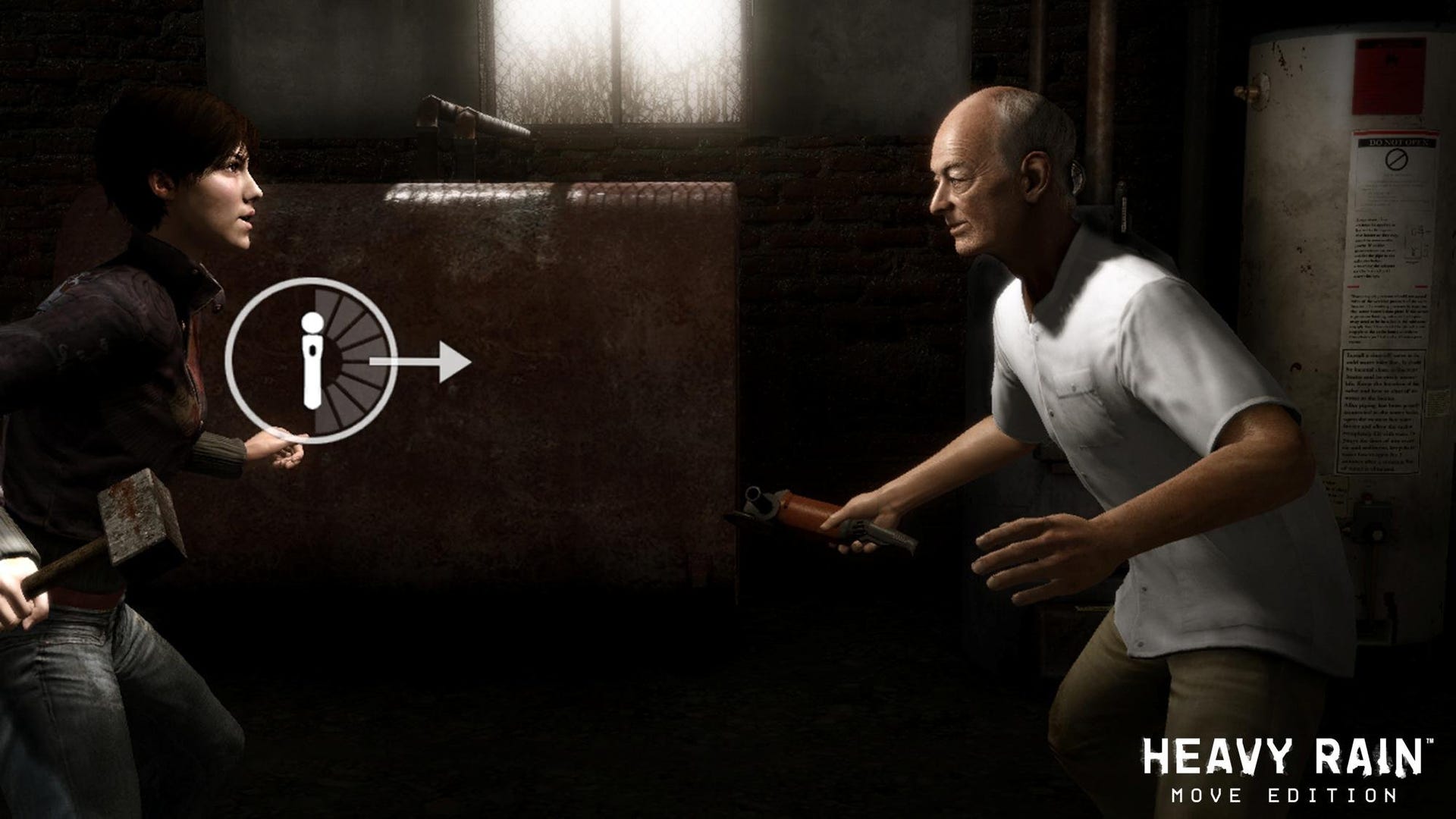
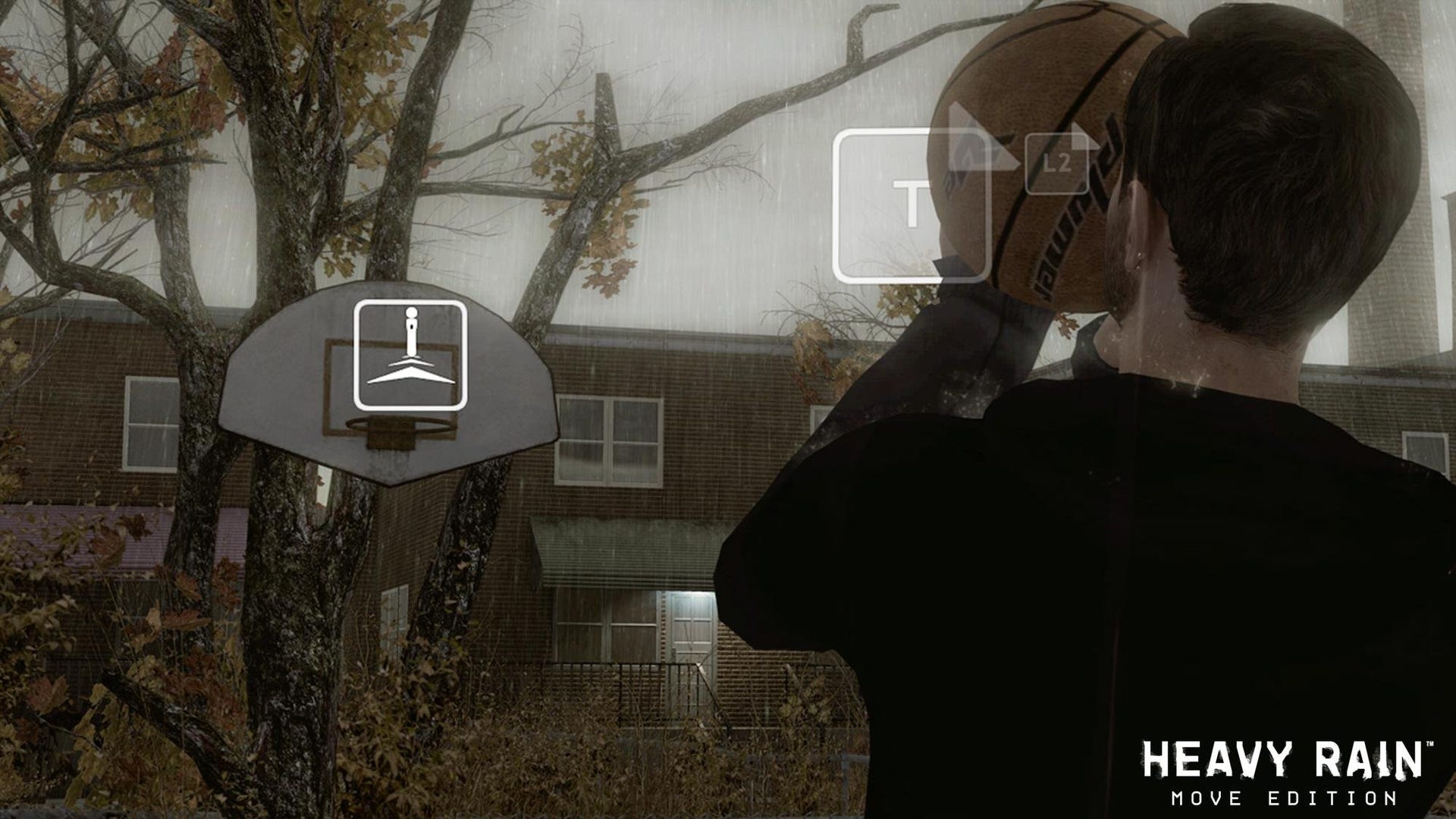
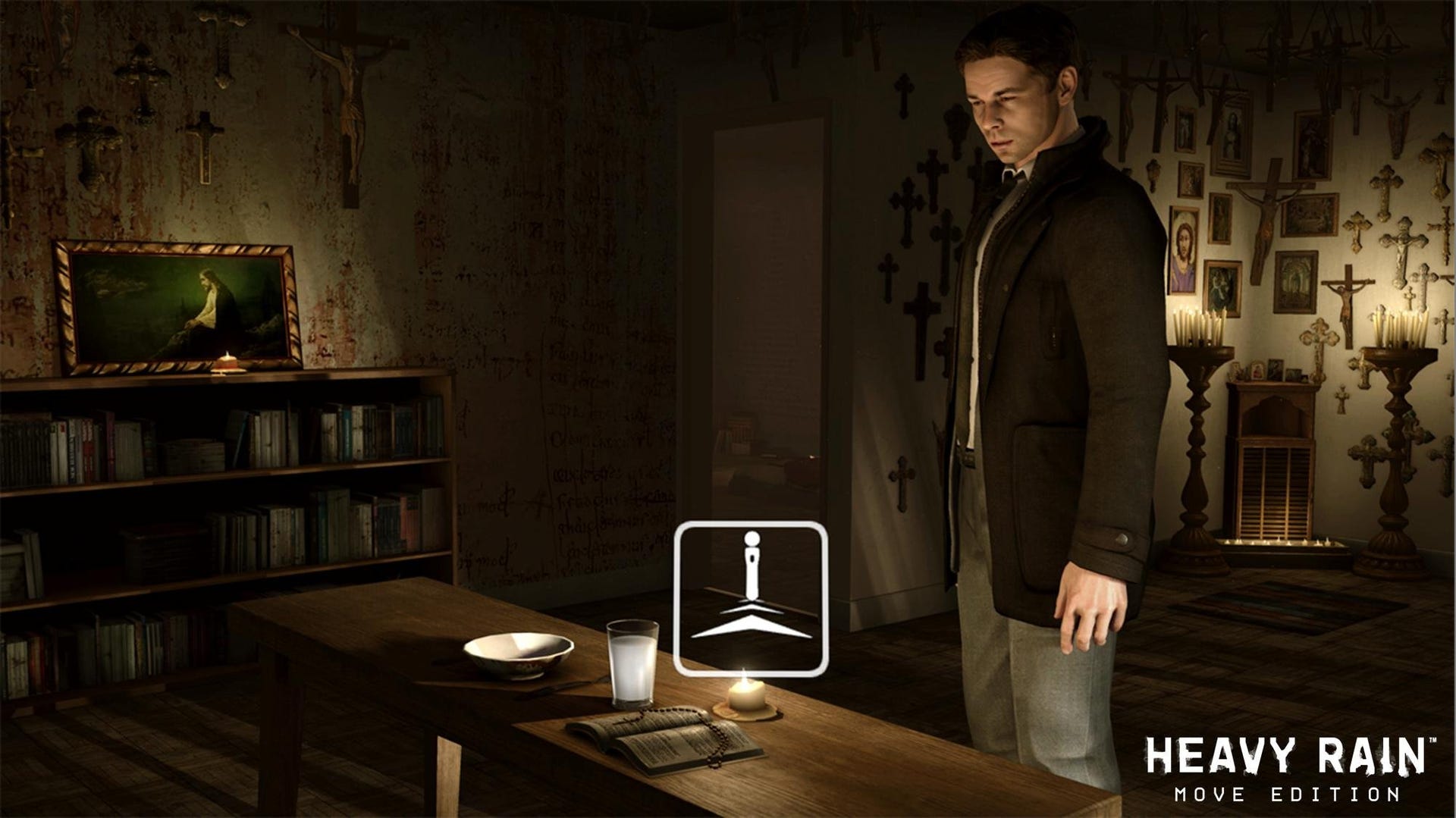
Good news: if you hated the walking mechanic of the original, it's gone, replaced with a more standard set-up roping in the Navigation controller's thumbstick. Getting around is a lot easier, then – and you can move the camera a bit at the same time with the Move itself – but most of the new interactions will require a half-hour or so to really get used to them.
It's worth it, though. The bulk of your fun involves squeezing the Move's trigger and moving the controller through the air either horizontally or vertically. After a while, even the tricky stuff starts to feel fairly natural, and when it finally clicks and you're doling out cash, unlocking doors or, I don't know, chopping an appendage off, it can seem rather pleasantly like you've become a mime – which is probably what that haughty Parisian David Cage had in mind all along.
Pushing and pulling actions give the game a physicality it missed before, and Quantic Dream seems to have taken real care throughout, finding intelligent and interesting analogues for the original moves, whether you're selecting thoughts by highlighting them with a pointer or engaging in a wheezy fist fight. I still got the worst ending, of course, but, to be honest, I never really liked that kid in the first place.
Tiger Woods: PGA Tour 11
Golf and a cylindrical controller just itching for you to swing it around seem like such a natural fit. The only explanation for implementation as disappointing as this, then, is that it's the result of a rushed retrofitting. This isn't an afterthought, I'm guessing – it's the thought you have after you've had an afterthought.
While pointing the Move to line up shots with an overhead view is just about acceptable, and the controller has no trouble registering details like the angle you're holding it at, when it comes to the crucial business of swinging the club, the whole grand illusion has a tendency to fall apart. There's lag, there's occasional failure to register movements that the game normally never struggles with, there's no real way to apply things like spin using the Move itself, and it's almost impossible to judge the force of your shots. Judging force: silly little hats aside, that's kind of a big chunk of what golf actually is.
Compound that with the fact that there's no sense of connection with the ball and very little sense of connection with the on-screen animation, and there's scant reason to even bring up things like poor in-game instructions and the fact that Move can't be used to do stuff such as navigate through menus when you're away from the fairway. All told, it's probably easier to land membership in the Freemasons than it is to get a good round of golf playing like this. It's probably more fun, too – particularly if you have a thing about ballroom-dancing with retired police inspectors or drinking red wine out of a lamb's skull.
When EA has a chance to make a Move golf game from the ground up, I'm willing to bet dollars to donuts that most of these problems are going to disappear. It took the publisher a while to make the Wii sing, after all, and Move seems to have at least as much potential. For now, however, if golf is a good walk spoiled, then Tiger Woods with Move is a good virtual walk spoiled. PGA 11 is still an excellent game when played as intended, but with motion control integration of this quality, it becomes considerably less excellent when you put the DualShock down. Not ideal.
Resident Evil 5
With movement on the Navigation controller, shooting and stabbing on the Move, and fiddly stuff like inventory, map access and telling Shiva to please-stop-jogging-against-that-wall-people-are-starting-to-stare on the face buttons, Resident Evil 5 makes a lot of sense. On top of that, Capcom offers two different control configurations, which flip "locate partner" and "run/quick turn" between L1 and X depending on how your brain is wired up.
It's quirky, though. Rather than being used to, you know, fire the gun, the Move's trigger locks you in position and brings up the aiming reticule, and you then shoot with a stab of the Move button on top of the controller. It works better than it sounds, but with no second stick, you're still going to have to aim – and stop moving – if you want to look about very much. Some won't like the fact that you can't nudge the screen around at all by moving the targeting reticule to the edge (with gun drawn, the only way to move the screen is to use the left stick), but it does means you don't get that juddery feel a lot of motion-control shooters have whenever aiming and the camera are tied together. It's not as much of a problem as it sounds, really.
You can tweak sensitivities and enjoy some fairly pedestrian gestural stuff, mostly involving shaking (guess when) if you want to, but, while it all works well enough, you may still be left with a nagging feeling that shooters and motion controllers don't really fit together that naturally most of the time, no matter how well-intentioned everything is.
R.U.S.E.
If shooters don't always click with motion controls, how about RTS games? They can work surprisingly well, actually. With R.U.S.E, the Move's pointer is not quite as flexible and reactive as a mouse, but the lag isn't bad at all, and after your initial assault on Colditz Castle, you may find yourself really enjoying the experience.
Unit selection and movement are handled via pointing, and mass selection, deselection and opening the Production menus are stuck on the face buttons – although you can also open the latter with a sharp swing to the right. It's pretty easy to jab around the battlefield moving artillery about, sending innocent men to their deaths, and rocking up on a tank ambush with just the wrong kind of defence. Moving about the map is handled with the left stick, and zooming and turning are done by holding the trigger down and tilting the Move like a fishing rod: you'll be clumsy at first, but it quickly starts to sink in and it generally feels quite precise.
Blast around too hectically and you can throw off the calibration, but any annoyance at that was wiped away for me the first time I selected an enemy unit to blow up and the squidgy Move light bulb started to glow an ominous red. Take that, Kaiser. (The Second World War was the one with the Kaiser, right?)
1/6 Move makes you feel the part of a tabletop general in R.U.S.E. It's probably a good thing I missed the Second World War.
Ultimately, to get the best out of an RTS, you're going to prefer a mouse – but this is still an appealing and somewhat novel way of playing. Like the game itself, Move integration has been no rush job here; if it tempts more players into picking up Ubisoft's thoughtful and inventive spin on the RTS, I'm in favour of it.
EyePet
Pets really are good value. They provide young children with hours of entertainment. They don't require batteries, internet connections, strategy guides, or easy access to a plug socket. They don't come with DRM, and they give couples in struggling relationships something to do after work rather than sit around apportioning blame. Finally, as they expire, they even teach any kids caught in the blast radius an important lesson about mortality: everything dies, baby, that's a fact. Bruce Springsteen said that.
And he was wrong. EyePet doesn't die (neither will Joan Rivers, I suspect). It's probably not even something Sony has planned for DLC.
Part monkey, part troll, part asthmatic Chihuahua, EyePet was a smart idea when it first appeared last year, albeit one that was waiting for technology to catch up slightly. Now, technology has caught up, with Move replacing the original game's magical flashcard. EyePet: Move Edition keeps the basics of the first instalment intact, but it allows you to interact with the same range of pet toys and gadgets in a far more satisfying manner.
The game beyond the controller is still sweet, but still limited, though. There's a decent number of mini-games, but they're unimaginative. Those that turn the Move controller into various gadgets crank things up a notch as Sony's software superimposes various fantastical devices over the glowing lollipop in your hand and puts them to work. This kind of stuff struggled to be entirely credible with the Magic Card that came with the original box, but with Move the implementation is ideal.
You'll soon be feeding your pet cookies, scaring him with a dangly toy ghost, taking him bowling, and drawing cars and planes that come to life and zip him around the living room. The moment Sony's really perfected, however, is bathing: covering the EyePet in suds, washing him off and then drying him results in a perfect marriage of simple Move controls and well-judged animations. It presents a kind of idealised take on pet ownership that is almost convincing. Sure, you sound like a weird strain of sex criminal talking about it, but it's a masterful piece of coding.
Brilliantly clever but slightly aimless, this remains a bit of a gimmick, ultimately. A dog is for life, but EyePet is probably still just for Christmas.
You may also like...
-
Retrospective: P.N.03 36
-
Digital Foundry vs. Starhawk 25
-
Game of the Week: Diablo 3 150
-
Would an Apple TV kill the console business? 200
-
The Making of The Witcher 2 70
-
App of the Day: Ski Safari 2
-
Max Payne 3 Review 213
-
App of the Day: Pandemic 2.5 15
-
From panties to shorties: why the young anime girls of Tera were censored 163
-
Diablo 3 Whimsyshire Secret Level found 30
-
Torchlight 2 Preview: The Devil's Work 41
-
Always Online: What Diablo 3's Battle.net Does Wrong 134
-
Epic unveils Unreal Engine 4 with stunning in-game screens 168
-
Mario Tennis Open Review 36
-
Always Online: What Diablo 3's Battle.net Does Right 97


Comments (108) Latest comment 2 years ago
Comments for this article are now closed, but please feel free to continue chatting on the forum!
Comment below viewing threshold Show
Table Tennis is brilliant too. Looking forward to RE5 and Heavy Rain.
Comment below viewing threshold Show
i DO have a bit of a problem with the lack of camera control when running though, but i've only used move so far, so i dunno if the classic controls have this.
Camera controls seem to suffer a lot in ports to motion control (twilight princess) - understanding where you are in the environment is pretty crucial in games, so i hope this trend toward auto-cameras, or in this case, no camera control, is a short lived one.
Comment below viewing threshold Show
as far as i can remember (i loved resi4 wii) it controls in much the same way, but resi4 had d-pad camera controls when you weren't aiming, right?
Also, strangely, i feel the wiimote is a bit nicer to point with than move. might just be the sensetivity setup, but there doesn't seem to be such a satisfying acceleration to the pointer. Move does have the advantage of not spacking out if you happen to point it at a lamp, however.
Comment below viewing threshold Show
After frustration with the Wii I was looking forward to checking out Move and it's supposed accuracy. Well, accuracy, yes in a way. Sports Academy demo really shows off the precise tracking - table tennis now feels 'real' and Frisbee golf clearly matched my hand movements. I'm sure the racket sports demo will be just as good. *edit* no it feels like wii sports, doesn't compare.
However, and this is a big one....it's useless as a pointer. Gave Shoot demo a go, calibrated everything and then in a short while the cross hairs are no longer lined up with the pointer. If you bought the gun add-on it would become pointless looking down the sights. Same goes for Tumble. You have to press O to recentre every now and again.
As a pointer this doesn't appear to happen with the Wii. I can only assume this due to the Wii sensor bar being stereoscopic while the eye isn't. Therefore although the sensors within the Move controller are more accurate in regard to movement, and the eye can determine depth - the exact pointing direction isn't known and therefore accuracy drifts.
I feel this is going to keep Move within the sports and casual games realm rather than allowing a more immersive experience with first person shooters.
Also patched Eye Pet and and it can't see the Move controller at all - and that's after moving the camera position and adjusting room lighting. Doh!
UPDATE
Still no joy with eye toy but had improvement with pointer accuracy after recalibrating magnetic sensor in the XMB system settings.
Comment below viewing threshold Show
I'm not sure the Move is to blame here though? While I didn't bother trying my DS3 instead this time around, I vaguely remember playing the RE5 demo back when the game was originally released and finding the controls very awkward and unintuitive compared to what I'm used to from third person shooters.
I'm still optimistic that Move + Nav Controller can prove itself to be a great way to play shooters, as long as the developers put some thought into the implementation. From the Killzone 3 Move videos I've seen it looks like they are on the right track.
And I'm tempted to repurchase MAG since they are also adding Move support (already available to everyone in a beta if I'm not mistaken?). It sounds like they still have some kinks to work out, but videos make it look fairly promising.
Meanwhile I'll go play a different type of shooter - archery in Sports Champions
Comment below viewing threshold Show
the wiimote/sensor bar isn't "stereoscopic", it's just a camera tracking two dots. I'm guessing this means fast changes in the controller's orientation along one plane are easier to achieve, as rather than tracking 2 dots on a 2d plane the Move has to combine the tracking of the glowing orb with accellerometer/gyroscope data, which the wiimote doesn't bother itself with when pointing.
I'm hoping that this means there's nothing but weak coding stopping Move being equally as responsive as the wiimote for pointing.
Comment below viewing threshold Show
The Shoot doesn't have a reticule, which means you have no way of seeing where you're aiming other than firing a bullet to see what happens! It definitely drifts away from where you are pointing too, but then the Wii does the exact same thing - the on screen reticule is rarely precisely where you are aiming.
So I think it's fine for shooters, as long as you have some sort of on screen indication of where you are pointing the thing.
Comment below viewing threshold Show
I managed to minimize - but not entirely eliminate - these drifting issues in all games later by being very careful during in-game calibrations, sometimes repeating the calibration process a couple of times if the pointer felt a bit off.
At some point - going on suggestion on the EU Playstation forum - I also tried turning off the magnetic sensor (possibly from the system menu on the XMB, can't recall the exact name of the sub menu), which seemed to further lower the issue. Since the pointer was always drifting left, I thought that perhaps the headphone amplifier and separate power supply that's standing on the floor next to my chair might generate enough magnetic interference to cause the problem, but this was before I started experimenting with more careful in-game calibration, and since I later turned the sensor back on, I never properly determined if magnetic interference might actually play a role.
I'll say this for my first day (yesterday) with Move - in games like Sports Champions it's extremely accurate and extremely responsive, but it's also so sensitive to even the tiniest non-intentional hand movements that I suspect some degree of input smoothing might actually be if not a strict necessity, then at least a welcome addition to certain types of games, including perhaps shooters.
Comment below viewing threshold Show
Real concerned about the weakness of the pointer accuracy and recalibrations needed, a proof that Nintendo years old Wii is still better in certain area, ie having sensor bar.
However hoping that developers will be able to work around this and makes a real good use of the more accurate movements in the sticks.
Will give the Move enabled games a real good go and see what I think of it.
Comment below viewing threshold Show
I thought RE5 would be a killer app for Move, but the tone of the review doesn't give me tons of confidence. If anything, Heavy Rain sounds like the best fit so far, but then Heavy Rain was never quite a home run for me, and with used copies still commanding $50, I'm not about to run out for that either.
Does anyone know whether the demo version of Heavy Rain has been patched for Move compatibility, for those who are just curious?
(LOL, just remembered, my copy of RE5 is Xbox anyway. D'oh!)
Comment below viewing threshold Show
What are you talking about? I played that demo several times yesterday and there's definitely a big, fat reticle on the screen - and once I had the game properly calibrated (no reticle when you have to shoot those two targets on the calibration screen though), aiming actually felt very good, albeit a bit twitchy if you don't have a completely steady hand (and I don't).
I do think I ran into a post on the PS forum yesterday mentioning a lacking reticle in The Shoot, and it also appears to be the game with the most serious calibration drifting issues (even though I did manage to mostly compensate for them with careful calibration), so maybe it's just still in a somewhat buggy state?
Comment below viewing threshold Show
I played the shoot demo last night and the pointer worked fine, maybe its just a calibration problem but i certainly didnt suffer from drift.
@smithdown
The demo i played of the shoot last night certainly does have an on screen reticule, the only weird thing i found in the shoot was when you pulled the trigger it didnt instantly show the impact like it was simulating the time it would take for the bullet to travel, which felt a bit weird in comparison to other shooters ive played in the past like time crisis.
The problem with all camera based technology will always be calibration and room setup and lighting. Any of these things are off and it can feel weird, im lucky enough to have a big lounge and lighting behind the camera not in front of it, it all seemed great to me.
Comment below viewing threshold Show
Interesting...for me the pointer seems to always drift to the right
Are you left handed?
Comment below viewing threshold Show
The Wii has never done this, hence why all Wii and Move shooting games will always have a reticule. Both of them are merely using a point of reference approximate a pointer.
Comment below viewing threshold Show
Nope, right handed.
Comment below viewing threshold Show
Still got home for Time Crisis, although Point Blank may not work as well (which reminds me, I wonder if we will get Move to Guncon PS1 games, that would rock, HARD)
Comment below viewing threshold Show
I stuggled where to put the eye so I could stand say 6-8 ft away and be in the centre of the pciture for the calibration...
On the top of my 46 inch plama was too high, and on the table was too low.
Some blue tack put on the front understide so the camera was pointing up 10 dgrees at the bottom of the telly, and calibration and accuracy was wonderful.
Table tennis was unbelievable compared to the wii makes it look like a Joke. Doing smashes feels great.
Tried sports champios with 2 controllers, wow thats immersive.
Got RE5 Move edition, not tried it yet as I forgot to get the nav nunchuck thing. Traded in my 360 RE5....
Note that I played RE4 on Wii to death, so silly review, as the controls sound exactly the same. Once you get the hang of Wii RE4 theres no holding back, anybody vaguely in your sigts gets one between the eyes, and high scores in mercs similar to the best PS2 players came easiy....
I can only hope RE5 move is the same, off to buy a nav controller.
Surprised at some of the neg reviews and 7 and 8's, the Move is SOOOO >>>>>> Wii control its night and day.
Comment below viewing threshold Show
Was great fun... I have downloaded all the other demos and will try te shoot now...
Comment below viewing threshold Show
Thank f*ck. Possibly the only bad bit of control design in the whole game. Glad to see the back of it.
Comment below viewing threshold Show
Is the Shoot actuallly out, or is it just a demo at the moment?
Comment below viewing threshold Show
I agree that the control issues RE5 has are not really the fault of Move. Aiming and shooting stuff works a treat, but everything else is abysmal. I accept that I am in a certain camp, as I find RE5 on SIXAXIS pretty poor as well.
If you like RE5 and can accept the general control system, the Move enhancement will probably be a positive thing for you (the hold trigger, press button business didn't bother me). I just couldn't get past the non-Move aspects of the game.
@Geordiemp
The SIXAXIS (held in your left hand) can be used in place of the nav controller (though I accept its not quite the same - and lefties obviously benefit from the nav controller).
Comment below viewing threshold Show
- Definitely more precise than a Wii but not sure everybody will like that. Hardcore gamers (like me) would expect for example table tennis to be 1-on-1 but it isn't. There is some lag still and the translation to the game is still not like really playing it. Holding your hand at angles you would do in real life makes you miss, so you need to reduce your turning. On the other hand, giving it to non-gamers got me the reaction that is too difficult and 'twitchy'. I'm truly curious if Nintendo doesn"t have the right strategy with a less precise controller: non-gamers want fun, not fidelity. Hardcore gamers I think will be slightly disappointed that until now, Move is better than Wii, but doesn't change the overall game of motion-sensitive controls.
- Still an awful lot of fiddling around: calibration, losing connection (bright sunlight doesn't help), getting the camera at the right angle, need more place to make sure all your movements are registered vs the Wii etc.
- Aiming: agree with the comments that aiming at the center of your screen for example feels less consistent than I'd wish for, especially when moving around a bit. Could be the games or software or just the need for some adapting to it. Can't see shooters working better with this than normal controllers.
Truly hope Sony can quickly come with a game that really changes everything and shows that the higher precision and better hardware delivers better games outside the advantage of having HD Wii games. Overall conclusion after a limited amount of hours and games: works great but not convinced it does everything it promised it would do.
Comment below viewing threshold Show
Demos:
Table Tennis in Sports Champions is really responsive, tactile, fun. I felt in control of it and was very quickly finding angles and putting different spins on the ball. Nice. The frsibee golf game seems a little contrived (is it even a real sport?) but shows the Move's accuracy.
Start the Party? Lame choice of demos to show it off I think, unless this is the best the game has to offer...in which case, oh dear.
The Shoot was surprisingly good fun, once I'd toned my movements down a little. Shooting knives/ dynamite out of the air seemed easy after 5 minutes. I can see that Move is going to be great for fps games, and not just lightweight on-rails shooters like this.
Still haven't tried the Golf game or Tumble.
I'm tempted to buy the Pool game...has anyone tried it yet?
Comment below viewing threshold Show
it's true the EG write up doesn't big up ResiEvil5 Move too much, but then it was EG that gave a thumbs down to ResiEvil 4 Wii edition.
http://www.eurogamer.net/articles/reside...
I would put this as one of the most wrong headed reviews ever posted by EG. ResiEvil 4 Wii edition is, IMHO, one of the finest gaming experiences, period.
Comment below viewing threshold Show
Now I'm back home I don't feel bothered at all, sort of sums up how I feel about it really.
Like others, I was expecting better comments than there has been.
Comment below viewing threshold Show
There is a quick turn?
/facepalm
Comment below viewing threshold Show
One issue though does seem to be the device as a pointer, in the game menu it feels a little floaty and keeps having a tendancy to go off centre to the left. I'm hoping this is just something to do with Sports Champions as I haven't tried anything else as of yet.
So far though, thumbs up.
Comment below viewing threshold Show
Yesterday I pulled out RE4 Wii and had a bash and can confirm that it is absolutely positively the same control setup (excepting control of AI player). And as Mr Hill11 has said, they're juuuust fine. Remember the RE games have never allowed move and fire at the same time, so when you press the trigger to aim the stick controls the camera instead of the player.
To do a quick turn, press the 'run' button (I'm guessing L2) and pull down on the stick at the same time.
RE's control scheme will be the exception rather than the norm for TPS games, which will mostly work like SOCOM 4. And all FPS games (from now on! No more twinsticking!) will work like KZ3. Devs will be crazy to make TPS/FPS from now on without Move-controlled reticles. Thank you Sony!
There will be bad implementations and buggy implementations along the way - MAG beta for example will aim at the centre of the screen rather than wherever the reticle is when you bring up iron sights - but even these are going to be better than the alternative control method we've been stuck with.
Comment below viewing threshold Show
re. "especially when moving around a bit"
...that could be the reason for the pointer drift. Perhaps once you've calibrated you have to keep the pointer in exactly the same position. Need a gun tripod
Comment below viewing threshold Show
The complete opposite of Sports Champions. I didnt like the idea of "wii clone" launch game but table tennis and gladiators are showing the potential of Move very well.
Start the party... its samey as EyeToy Play with slightly updated graphics and less fun minigames so it will see light only when we are having a party and drink a lot.
The best game for me is Tumble so far. It may not be a gamers game, it feels like a tech dempo sometimes but it is extremely precise. When you pair it with 3D TV it gets even better as you have better understanding of depth which makes it easier to place the blocks right without checking all camera angles.
Shoot was a dissapointment for me - didtn feel precise, maye it has something to do with distance from the screen but i didnt like it. But then again I am no sharpshooter.
The Beat Sketcher is fun, my 16 moth old son loves it
Eyepet and Kung-fu rider awaits their time - I have got a life too
Comment below viewing threshold Show
I do expect games like Socom, Killzone and LBP implementations to perfect/spot on (they had better be
Just downloading all of the demos, was able to wrestle the Move off the wife (was getting it next week but got it today)
Comment below viewing threshold Show
Resident Evil 5 with move controls exactly like Resident Evil 4 Wii Edition - beautifully.
Comment below viewing threshold Show
So when you doa 'lazy' calibration and point at the 2 targets, you must obviously point very accurately and then stay seated in same position to hold the calibration.
The only accurate pointer system would require the system to know where 2 corners of the screen are.
Give us a reticulle if the pointer is relative like Wii
Comment below viewing threshold Show
After that it's pretty much horses for courses as far as light gun games go. As someone who owns Ghost Squad, HOTD 2 and 3, Overkill, both Resident Evils on-rails shooters and Dead Space Extraction, I can say that the controls are about the same accuracy/smoothness etc.
But the game is pretty uninspiring, it doesn't have any features that make any of the above games special - weapon upgrades, story or whatever. It's a quick-and-dirty lightgun game designed so the Move can hold its hand up and say "I do lightgun games too!"
Happy that Dead Space extraction is coming, and really hoping that Red Steel 2 follows. That game needs to find its audience.
Comment below viewing threshold Show
In terms of demos TV superstar was rubbish, some catwalk thing involved waving arms but i couldn't see how i was doing, there didn't seem to be any feedback ranging from good to bad.
Table tennis i wasn't a fan off, felt more realistic in terms of having to swing accuratly, but the table seemed to have a homing beacon in it, that didn't feel realistic.
I didn't play the second game
Echochrome 2 i liked, very much, would like to get my mits of the full game, menipulating the shadows to get your man acroos the screen is simple but it work. very responsive and it takes some thinkink even it the demo levels, the shadow art s also a nice little touch. A couple of things i didn't like was the level restarted if the move was pointed away from the camera, and the stick man walks quite slowly and is a bit boring nowing you've finished the level but you've got to watch him stroll across screen. (would be nice if theres a fast forward option to get him moving a bit faster)
Tumble took a bit of getting used to, but it's a very simple and addictive game. Controls are spot on but i found i had to be carful in calibrate mode wth where i put my arm, if i put it too far forward the move was too far forward so in my limited space i couldnt reach back far enough, so i needed to re do it.
I need some more time with ruse though, i only played with the single controller which meant i couldn't pan around the map so i had some problems getting i wanted to display, but from the sounds of it thats where the nav controller comes in. No problems with anything else.
Comment below viewing threshold Show
"I just spent another hour with SC - this time disc golf and volleyball. I have still yet to properly try out bocce ball (my brief session with it yesterday definitely made it feel like the most relaxing of the six disciplines), but otherwise I'm ready to say that Sports Champions is just plain fantastic all around, even the arguably weakest inclusion, volleyball.
But gladiator, volleyball and to a slightly lesser extent archery are definitely even more fantastic if played with two controllers rather than just one.
Maybe my immense enjoyment is simply because I've never had my hands on a Wii - and the supposedly extremely popular Wii Sports - so this whole motion controller thing is entirely novel to me, but whatever the reason I can highly recommend the full version of Sports Champions. Particularly if you have two Move controllers."
Comment below viewing threshold Show
What's your definition of huge? There are a couple I haven't installed (Start the Party being one of them), but as far as I recall from yesterday, each one weighed in at far less than one Gigabyte. Hardly a large demo these days.
As for needing to install them, clearly they've just thrown the same demo installers on the disc as you would download from the PSN store - I'm guessing because it was the easiest thing to do.
Comment below viewing threshold Show
Table Tennis is great, you can really feel the direction makes a difference. Just playing this alone makes me want to buy sports champions
Shoot: Calibration was very strange and took a number of attempts to get right... it wasnt very informative on how to calibrate it properly. Game was fun, but dont see it being something i would want to play much of... feels like Raving Rabbids...or whatever it was called on the wii. Big minus was the calibration... didnt work well.
Tumble: Excellent demo, and looks like it could be very challenging, looks like a steel at 7.99
Comment below viewing threshold Show
"Not so sure about retro fitting move as games designed with it in mind will allways be best but if its free dlc, cant complaing now can we?"
That would seem to make sense, except that all the Wii's best games (other than Super Mario Galaxy ) are all PS2/Gamecube ports - Metroid Prime, Resident Evil 4, Okami
Comment below viewing threshold Show
From Official PSN FAQ: What is the point of the 'Calibrate Motion Controller' in the main ps3 settings when games all seem to require their own calibration?
In short, the Calibration options on the XMB calibrate the Magnetic Sensor within the Move controller. The in-game calibration calibrates everything else.
The long answer is that the Magnetic Sensor is used to give your console information about where your controller is pointing in relation to North. So, if you're having issues with the controller not behaving as expected in general, you should recalibrate or even switch off the magnetic sensor.
Perhaps if the Move magnetic sensor is calibrated in the factory. i.e. other side of the world, it's quite likely that the first thing you should do is re-calibrate it before use. A quick google on magnetic north shows there are many local factors (natural and electromagnetic) which can produce an error of a few degrees.
Comment below viewing threshold Show
Regarding the magnetic sensor, here's another post I just made on the PS forum.
"I haven't had any problems with the calibration process in any of the games and demos I've tried (aside from having to redo some of them several times because I didn't feel like the on-screen pointer was behaving quite as I wanted afterwards), but in several demos - including The Shoot and Tumble - I'm having the same calibration "drift" problems with the second Move controller I bought today as the one I got in my starter pack yesterday.
Basically the cursor starts drifting left - always left - until I either use an in game centering option such as the circle button in Tumble, or move the Move controller fairly far out to one of the sides (not far enough to get an off camera warning, but pretty far) and then back to the middle, which also seems to auto center the cursor.
Like I experimented with yesterday with my first Move, I've just played the Tumble demo on my second Move with the magnetic sensor turned off. While some cursor drifting remains, it's far less pronounced than when the magnetic sensor was turned on.
I've also been sitting in the middle of my living room, just in case the small headphone amp and power supply I have on the floor next to my usual chair might actually have enough of a magnetic field to cause interference, but since I still had fairly severe issues with the magnetic sensor turned on that doesn't seem to be the case.
With these centering precision issues I'm very interested in and a bit worried about how well the Move is going to work in eg. shooters. Resident Evil 5 (with its otherwise horrendously awkward control scheme) centers the reticle every time you pull the aim button, but from the videos I've seen it looks like KZ3 and MAG rely on a more intuitive and "normal" control scheme where you turn when you point the reticle towards the edges of the screen?
Unless it centers the reticle when you take certain actions - or just auto centers by itself at certain times - I foresee the calibration drifting causing huge frustration.
When I physically point the Move straight at the center of the screen - and assuming I've calibrated it properly in-game - I expect the cursor to be more or less at the center of the screen. Right now in some of the games and demos it does that for a short while, but a minute or two later - or less - the cursor is actually almost half way towards the left side of the screen when I point the Move at the center."
I can add that Sports Champions - the Move game I've been playing most by far - has not caused me any obvious issues with calibration "drifting", with or without the magnetic sensor turned on. But I guess that it's possible there could still be some minimal drifting, it's just that I don't notice it because of the larger arm and body movements compared to the other games/demos, and perhaps auto centering at various points, in addition to the recalibration required every time you enter a new event.
Comment below viewing threshold Show
[link url=http://iwaggle.blogspot.com/2010/09/video-iwatch-playstation-move-vs.html
]http://iwaggle.blogspot.com/2010/09/vide...[/link]
This is clearly an issue that many games - shooters perhaps in particular - will have to find a way to compensate for, probably through some form of auto centering of the reticle, as eg. RE5 does when you pull the aiming trigger, or Tumble does if you hit circle.
Comment below viewing threshold Show
Yes that iwaggle presents some interesting things about the pointer movement, hope its fixable in the future.
Comment below viewing threshold Show
Its left to you tube and small game sites to do the investigation we expect from large respected sites like EG or IGN.
http://www.youtube.com/watch?v=JF7bo8V1f...
Comment below viewing threshold Show
Christ almighty, Sony. You did it again.
Comment below viewing threshold Show
Christ almighty, Sony. You did it again.
Comment below viewing threshold Show
French country furniture
Comment below viewing threshold Show
Ryze...really sorry but I've read that post over and over and I don't know what it means...
Comment below viewing threshold Show
Why would you want that? I am confused as surely its like the Wiiversion of Resi 4? And what have Sony done again?
Comment below viewing threshold Show
On the whole, for me, EyePet now works alot better, just a shame it seems that Sony havent necessarily fully implemented move into the game as much as it should have been.
Comment below viewing threshold Show
Table Tennis - Good, although having put uncountable hours into the Table Tennis in WSR, I'm not really feeling much of an improvement in terms of accuracy, and I'm pulling off spin shots with the same level of ease. The only truly noticeable difference is that you have full control over where you move, which is nice.
Archery - I had issues with the whole grabbing an arrow thing, it seemed to be a bit fussy as to when exactly it would decide to pick one up. Very accurate aiming though. Debatable if it's any better than Archery in WSR, but then it's hard to better pointing at a screen when it's already been pretty much perfected.
Gladiator Duel - It's the sword dueling from WSR with an added shield, which I think adds an extra dimension.
Volleyball - This seems to be a bit of a waggle fest, you don't really need to do much to succeed and it's the one that has disappointed me the most.
Disc Golf - Excellent when calibrated correctly, and I found I had to do it fairly often, otherwise I'm looking at my character holding the disc at an angle when I'm holding it flat. Thankfully calibration is quick and easy.
Bocce - I think it works well, it's just a bit boring.
Overall I'm pretty impressed, 4 of the 6 games are fun to play, but I'm not seeing any massive leap over what we've seen before. May need to try a few more games before I can get any truly definitive idea of exactly how good it is.
Comment below viewing threshold Show
So they scaled it for move.
Even getting used to the controller, still killed 24 in first skirmish and almsot got the axe guy.
Calibration is all do do with the angle of the eye, put blue tack on it and angle it 10 deg up or down if on bottom or top of telly so it sees you in middle of screen for sport champios.
Also, if move light goes out, re-plug in the eye....
Back to RE 5 Different game altogether, the machine gun is useful now you can aim, and head shots are fun. Glad they seemed to have upped the ante.
Comment below viewing threshold Show
3rd Person and first person games are limited in terms of aiming and camera control happening independently. There are ways around it (toggling, and camera control 'zones' on screen), but if the Move button could be, well, MOVED like the PSP nub (only better), as well as being clickable, then that wouldn't be an issue.
Comment below viewing threshold Show
From what I remember of the Killzone 3 Move videos I've seen (and perhaps Socom 4 as well?), the camera turns when you aim near the outer edges of the screen? And I believe that's also the case for M.A.G.?
How well that works I obviously can't say before I've tried it myself (I'm thinking about repurchasing M.A.G.), but it certainly seems like a control scheme that isn't too different from the usual method of aiming and turning the camera with the right analogue stick on the DS3 (aside from your aim not being locked to the center of the screen with Move), and one I would much prefer to the one in RE5 where you need to push a button (or in this case pull the trigger) to bring up the reticle, and using the analogue stick on the Nav Controller to turn while aiming, which feels horrendously awkward and slow to me.
Comment below viewing threshold Show
In terms of 3rd Person games, time will tell, but for example, a character could be moved around with a single wand if the Move button was a nub/nipple/analogue as well as a button.
We'll see. I'm enjoying my Move wand with the Heavy Rain demo - and waiting for the full game's patch. I do wish I could make the character walk around whilst only using a wand, however.
Just installing the Start the Party demo now...
/waits...
Comment below viewing threshold Show
Granted, I suck at it
Sports Champions on the hand - damn I love it. I just spent half an hour playing table tennis, and aside from moving around slightly less than in the real sport (though you still take a step forwards or backwards to hit those short and long balls) it feels almost exactly like I remember it from back when I last played table tennis years ago. I even managed to work up a bit of a sweat
Four of the other events are also incredibly addictive - and even volleyball is pretty entertaining, though I have only played a handful of matches so far.
Comment below viewing threshold Show
Though i do have RE5 ready to be played next week (have to wait
Comment below viewing threshold Show
You cant move when firing anyway using either control, so mov eis better as you can pick off head shots and turn camera with left stick when used to it.
Comment below viewing threshold Show
I've been using the camera mounting trick that's been widely publicized with a video showing how you can simply hang it over the top of the TV, with the cable providing counterweight on the back. What my testing today showed though was that if the camera isn't completely level - and that may be hard to accomplish if you're just eyeballing it when you hang it over the top of your TV - the drifting problem can set in very quickly after in-game calibration, and entirely without any violent shaking or other unusually exaggerated movements required.
I've ordered a camera mounting clip (double sided tape might be another solution) so I can set it completely level on the top of my TV, but for my testing today I relied on a iPhone app called Handy Level to make sure the camera was indeed hanging as level as I could possibly get it to do, and it almost - but only almost - eliminated drifting entirely, even in the two previously worst offenders, the Tumble and The Shoot demos.
Comment below viewing threshold Show
Drifters - ensure the camera isn't moving, and you aren't moving too far from where you calibrated from.
Also - there's a magnetic calibration tool in the system settings involving rotating the controller around a central axis. See if that helps, eh?
I'm largely VERY happy with mine. It's just a shame that:
- There's no mouse pointer support in the web browser
- There's no method of navigating menus in unsupported games. Even the Heavy Rain Demo needs to have the Move activated with the control pad before it can be used in the menus. Poor show.
Move button should be a slider or analogue as well. Excellent device anyway - VERY accurate. Play Tumble!
I hope for an advanced version that includes analogue control and looks less like a dildo or 'personal massager'.
Comment below viewing threshold Show
Apparently some games dont do it, in partical resident evil 5, its mainly the shoot....
in RE 5 I shoot where I point, and you waggle to shage zombies off, so you nwould think it would happen, but no....
You would think DF would sort something out, or SONY....
Comment below viewing threshold Show
The Wii Remote/PS move controllers are ideally suited to Resident Evil 4/5 because you can't move and shoot at the same time. It's one of the very few shooters (that aren't on rails) where pointer controls actually work consistently.
I've played plenty of "point at the edge of the screen to turn" shooters on Wii, and having a game designed to not be like that seems like a very good thing to me. All I wanted, Eurogamer, was a direct comparison between RE5: Move and RE4: Wii and you have failed to deliver. Bad Eurogamer!
Comment below viewing threshold Show
Calibrate in the XMB?
Comment below viewing threshold Show
It's immediate - straight after calibrating it drifts off to the right. I'll try a few things with the camera and lighting, as I didn't notice anything like this yesterday.
Comment below viewing threshold Show
Release trigger. Push trigger again. It centres everytime.
Comment below viewing threshold Show
Oh, and sports champions is great! I really wish I purchased it along with the bundle and not buy the controller and camera separately.
Comment below viewing threshold Show
Riiiight...
Comment below viewing threshold Show
------------------------------------------------
RE5 move has one massive fault (beyond a lack of control config choices).
IT AUTO CENTRES
Ie if your pointing at a point on the screen when you pull your gun out it will be... in the centre! Not where your pointing.
Its retarded and completely ruins the game.