Xbox Music Mixer
The Xbox gets all hi-fi and mighty.

Getting to grips with Microsoft's Xbox Music Mixer has been an interesting experience for me. Completely deprived of karaoke up until now, I'd never really experienced the banshee in a tumble dryer that is my angelic singing voice, and the sheer novelty of that kept me happy for the first few hours - and gave us all something to laugh about around here, particularly during my squeaky cat-in-a-blender inspired rendition of Radiohead's High and Dry.
Music Mixer certainly gives you plenty to think about - it's a karaoke machine with an array of preloaded songs and a capacity for 250 premium downloads in total; it's an interactive multimedia player; a photo album viewer; a rave set factory; and it even allows you to transfer masses of MP3s, WMAs and JPEG image files from your PC to your Xbox. In short, it ought to be the ultimate multimedia bridge between your "home entertainment system" (or just plain TV) and media-hungry broadband PC. That it comes packaged alongside a good quality microphone with an adapter that slots into the top of an Xbox controller is the icing on the cake, and yet another potentially exciting point on that bullet list.
Putting the "X" in Mix
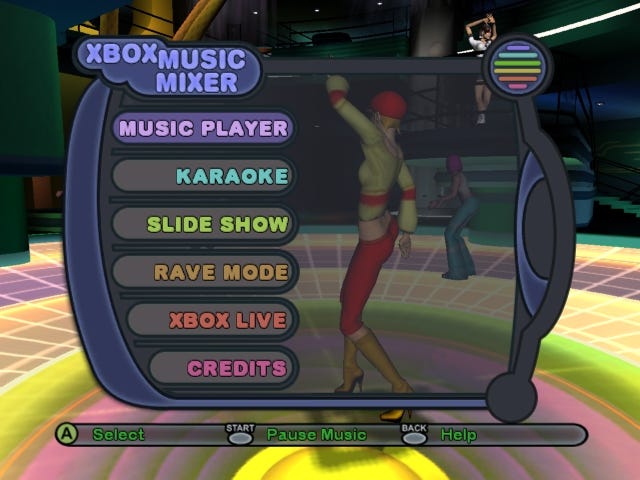
However it's more than clear after a few days with Music Mixer that the package simply doesn't stand up to scrutiny. For a start it's saddled with one of the most unhelpfully designed interfaces I've ever encountered. Obviously with huge lists of songs split up by playlist, numerous playback controls and various other constants (help buttons, confirm/back, etc) there was bound to be a lot of button-juggling to contend with, but the solution implemented by Wild Tangent is just obtuse, relying on triggers for the main list navigation and D-pad/A for virtually everything else including countless sub-menus which swing left, right, up and down depending on how confused you look, and after a few hours you're quickly reminded why PCs are better for organising huge numbers of disparate files than console applications.
Presentation is shoddy, too with horrible list visuals, chunky buttons to press and a bizarre lack of widescreen support - a real puzzler given the obviously limited resolution in most cases, and the fact that the Music Mixer skinned Xbox Live downloadable content area is in widescreen. Eh?
Sadly the quality of the Music Mixer software merely exacerbates the disappointment. For example, the media player is just a Winamp replacement with some less than exotic visualisation effects that don't actually react to the music. It features a big database of CDDB information to help label up any ripped albums, but that's pretty much the only plus point. Other than that it's not that much of a leg up on the default Xbox CD player option, no more helpful in keeping track of your masses of ripped tracks, and centred mostly around transferring stuff from your PC using the freely downloadable PC-to-Xbox Transfer Tool. Which is daft. Oh, and if anybody has any idea what any of the bars on the unlabelled equaliser do, I'm keen to find out...
Putting the "er" in Mixer
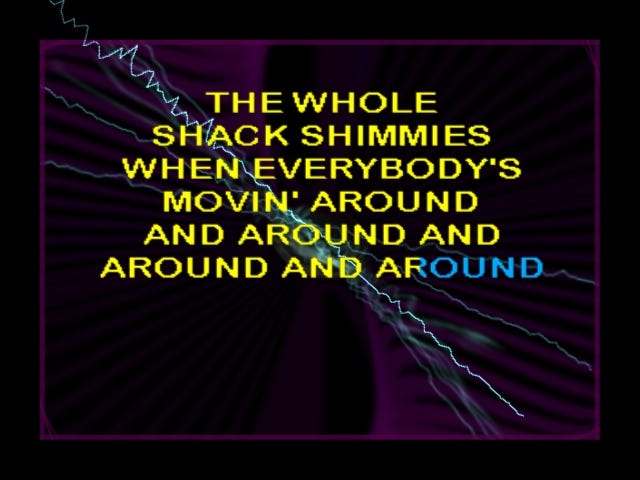
As for the lauded karaoke mode - arguably the centrepiece of the whole package - it begins life just as any other karaoke package does to a complete novice: it's enthralling. However that's quickly stripped away the moment you experience what a real karaoke experience is meant to sound like; when you realise that killing the entire rhythm section to give a clear run at the vocals is actually counter-productive, because we can't all carry a song like Mariah Carey; when you learn that with other karaoke machines you can actually hear your own voice coming back at you through the speakers; when you find out about pitch guides and practice vocal tracks, absent from the Music Mixer package; and, worst of all, when you realise that most karaoke discs are packed with recognisable songs and wouldn't get away charging £5.99 for a meagre five tunes in a million years - something Music Mixer does right now.
Ah, but what of the option to record your performances and play them back? Yes, what of it? The vocals are hideously and inexplicably out of time with the music on playback, which is a good thing when you have to relive some caterwauling you made earlier and it sounds like you were drunk, but a terrible failing overall.
It's just a very poor offering - and the 15 tracks bundled by default are an insult compared to the sort of range of offerings, including recent chart-toppers, that you generally get with ten-a-penny karaoke DVD packages. Love Shack is worth a go, and happily includes both male and female parts separately for folks with two microphones/controller adapters, but inclusions like Auld Lang Syne are just baffling. As I said, you can pay £5.99 for one of several track packs for Xbox Live's premium content system, but none of these is really worth it, but in every case the backing (delivered "in the style of" rather than "by the fingers of") leaves a lot to be desired. Careless Whisper is a good example... of a bad impression of Wham. The musicians sound drunk.
Putting the "ick" in Music
Another option however is to use the PC-to-Xbox Transfer Tool available from Microsoft's Music Mixer webpage (the American one, obviously, and not the British one, where the tool remains unavailable several weeks after release) to transfer karaoke tracks from your PC. Given the wealth of karaoke content on the Internet, this ought to be a real killer application... except it's not. In their seemingly limitless greed (sorry: "infinite wisdom") Microsoft has given us a proprietary file format to worry about, with premium downloads available from the expensive www.xboxkaraoke.com website on a song by song basis. Music Mixer does not support traditional karaoke formats, although some clever folks have found a way to get round that with chipped hardware, but you do that at your own risk, and in any event the 250-song ceiling is hard-coded. Yep.
Still, the Transfer Tool is still useful for copying MP3s, WMAs and JPEGs across. Just connect your Xbox and PC together with a length of crossover network cable, or plug them both into a hub or switch, and they will quickly find one another and allow you to transfer said files. Great. Now you can play back your illicit music stash on your Xbox (stop looking so horrified - who are we both kidding?), or sit in front of the TV and watch pretty images of flowers and, most likely, birds stream by, zooming and panning and scanning to fill the quiet hours. Hands-free, if you can think of some other use for your hands in front of a custom slide show [why, whatever do you mean? -Ed].
As with most of Music Mixer's other features however, the Transfer Tool is more than worthy of some stick. For starters, finding myself limited to premium karaoke content by a tool more than happy to slurp up endless MP3s is the sort of cynical, greedy, morally ambiguous money-spinning baggage Microsoft needs to shed if it ever plans to rule the gaming and indeed media world in totality. For seconds, the bizarre time out limit on transfers fails the entire process if you have rather too many files to copy in one go. Finally, it only works on Windows XP, not even on 2000 and certainly not on anything else. Genius.
Putting the disc in the bin
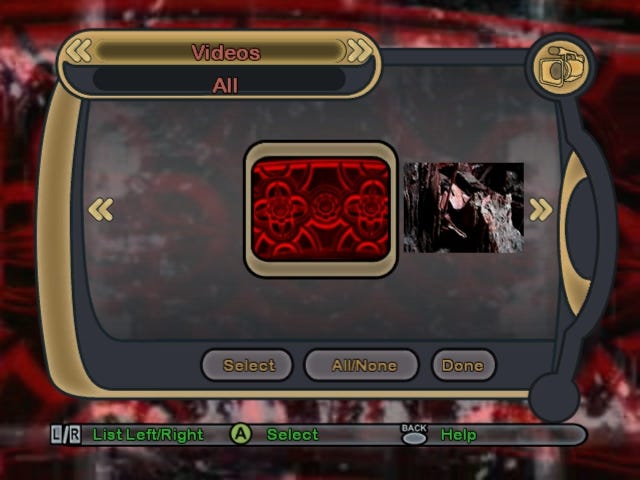
However the most annoying thing about the PC-to-Xbox Transfer Tool is that there is absolutely no point transferring anything into this tedious suite of sub-freeware media playback options. Slide show is pointless (and hardly revolutionises the way you treat holiday snaps given that they look far better on a PC screen), the media player is pointless, the karaoke machine is flawed and bound by ridiculous limitations, and the final feature that I've yet to mention - the Rave Mode - is little more than a production line for cheap and tacky visualisations, which basically consist of one or more videos and slides unadventurously overlaid and played back simultaneously with little acknowledgement of the music they're supposedly complementing. Woo bloody hoo.
Much as I wanted to like Music Mixer when I first got my hands on it, it's quickly established itself as a total dud. There is nothing here that I wouldn't rather do with my PC thanks to a combination of poor feature quality, crap interface, storage limitations, stunted functionality and - let's bring something else into the equation - an hilariously optimistic price. "Ah, but what of the people who don't have PCs?" some might cunningly respond. Well, they're even more limited in what they can do, aren't they? It's like this: If you want karaoke, buy a karaoke machine, or wait for Konami's Karaoke Revolution on PS2, which is stunning. If you want to listen to CDs, just put them in your Xbox without spending £29.99. If you want to look at holiday snaps, buy a photo album and paste them in - what we have here is just technology for the sake of it. And if you want to listen to MP3s, you can (and do) do that on your PC - your TV's speakers are hardly likely to improve matters - and if you don't have a PC then perhaps you ought to put the cash towards that instead of buying up an overblown media suite that doesn't do half of the things it should half as well as it should. Wildly disappointing - this just isn't where you want to go today.