Art Academy
School of Gogh.

Nintendo's quest to make us all better people continues apace. The game giant has been all about self-improvement lately, and whether you're training your brain, getting more exercise, cooking exotic dishes or reading classic novels, you're well on your way to becoming more like the perfect specimens of humankind that feature in Nintendo's press shots - all crisply-ironed clothes, immaculate complexions, gleaming teeth, rictus grins and undimmed love of multiplayer party games.
The latest attempt to enrich our dull and meaningless lives is DS title Art Academy, or, to give it its full title, Art Academy: Learn painting and drawing techniques with step-by-step training. Now, as a concept, Brain Training makes sense; it's a way of keeping your mind more active on a daily basis. Sight Training's bold claims of "improved visual acuity" may have been less scientifically sound, but it's a reasonable idea in theory. But Art Training? Surely the whole idea of art is about self-expression? What can Nintendo teach us that we can't learn by picking up a pencil or paintbrush?
As it happens, quite a bit. I studied Art at GCSE and A-level, and through a combination of a restrictive curriculum during my high school years and a little too much freedom at college, I didn't actually learn an awful lot about composition or technique. Here, I did. Via a series of impressively thorough lessons, you'll be taught everything from basic outline sketching to use of lighting and colour, and creating the illusion of form. You'll even hear the odd mention of specific artists and the styles they used. Art Academy's educational value is surprisingly high.
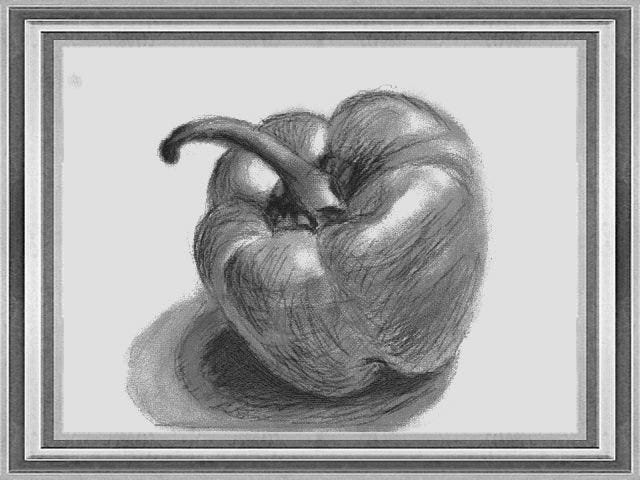
Your host for these lessons is a bearded cartoon painter called Vince (only Nintendo could name a tutor after a manic-depressive artist with one ear and turn him into a cute and genial guide). He'll patiently explain each step of the process, starting off with simple exercises to acclimatise you to the pencils and brushes - drawing a circle, daubing thick lines, painting a simple tree - before graduating to still life paintings in black-and-white, then in colour.
You'll learn to build up paintings by using quickly sketched guidelines, blocking out the colour and then finally adding detail. As obvious as all this may seem, these lessons were occasionally quite revelatory to me. (Also, I was always warned against cross-hatch shading at school, but here Vince positively encourages it to add texture to an otherwise flat image. In your face, Mrs Lancaster.)
A row of icons lines the top of the touchscreen. These take you through to your drawing tools, such as a grid which makes objects on the upper screen easier to directly copy from or a magnifying glass which allows you to add finer detail to your miniature masterpiece. You have a choice of three pencils and whether to hold the pencil as if perpendicular to the page, or at an angle best suited to thicker lines or shading. An eraser can rub out erroneous scribbles or add highlights to a more detailed drawing.
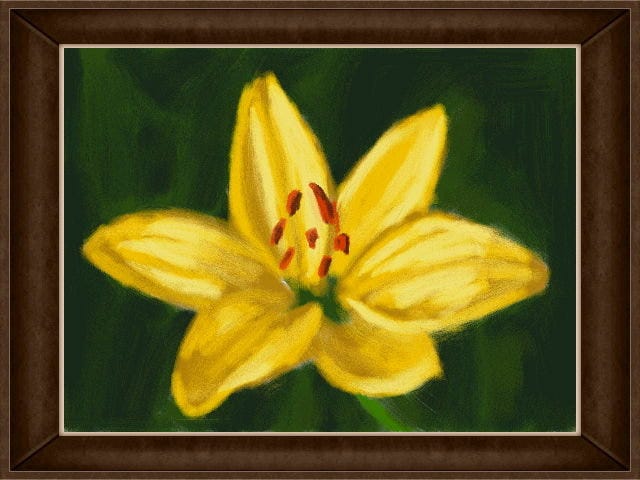
If you're merely sketching an outline to be completed in colour, you can then choose to move on to your paintbox. Curiously, there's no way of going back; while some artists like to add depth to shadows with the help of a softer pencil, you've no opportunity to do so here. Once you've agreed to leave your pencils behind, your artist's palette will be displayed, with ten simple colours that can be blended with others in 16 free trays. There are six different brush sizes - three round, three flat - and you can choose the amount of paint and water that's on your brush.
None of this is merely for show, as every choice here subtly affects how your painting turns out. Use a large flat brush with plenty of paint and water for a basic colour wash, or a dry, small one with just a dab of paint to lightly buff the surface of the canvas, adding texture to your piece. After a bit of experimentation, you'll happen across techniques that work best for you: I find a circular motion with a wet brush is great for clouds and trees. The pressure and speed of your brushstrokes makes a difference, too. A brush dragged slowly across the page will leave a markedly different impression than quicker, more aggressive strokes.